turbopuffer
Serverless vector and full-text search built on object storage — powers Cursor, Notion AI, Linear, Superhuman. 95% cost reduction vs traditional vector DBs.
Overview
turbopuffer: Vector Search on Object Storage
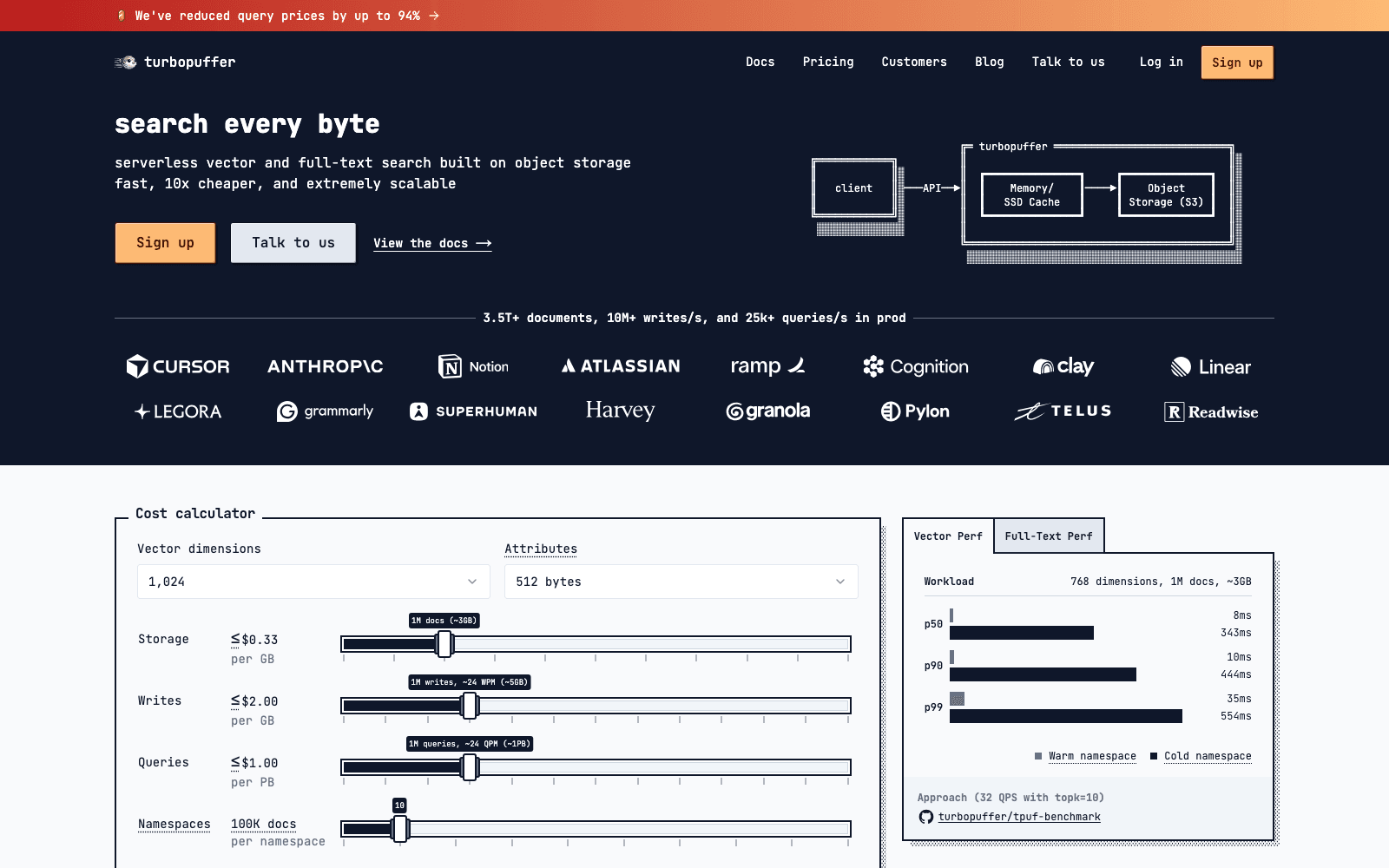
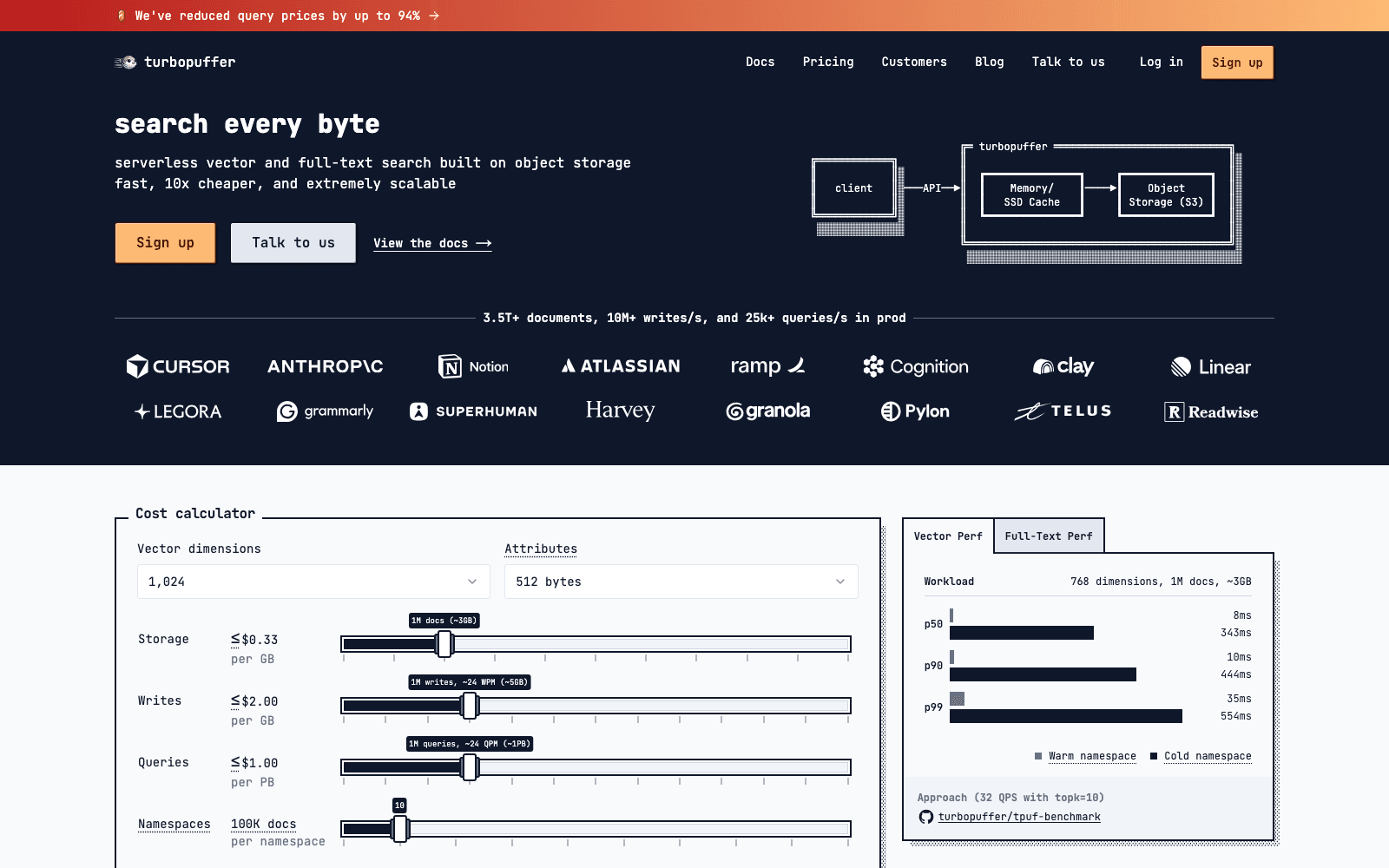
turbopuffer is a serverless vector and full-text search database built on object storage — a fundamentally different architecture than memory-first vector DBs like Pinecone. By storing data in cheap object storage (S3, GCS) and intelligently caching active data, turbopuffer delivers up to 95% cost reduction versus traditional vector databases for typical AI workloads.
Powers production search at Cursor, Notion AI, Linear, Superhuman, Telus, and many more — the actual production tier of AI products you're already using.
Key Features
- Serverless architecture with auto-scaling
- Built on object storage (S3/GCS) for radically lower costs
- Sub-10ms p50 latency through intelligent caching
- Handles 3.5T+ documents, 10M+ writes/sec, 25k+ queries/sec in production
- Vector + full-text + hybrid search with metadata filtering
Ideal Use Case
Production AI applications at scale where vector storage costs are a real budget line item — especially products with many users, deep search histories, or large document corpora. Strong fit for AI editor backends (Cursor uses it for code search), AI search (Notion AI), and enterprise knowledge bases.
Why Use turbopuffer
The object-storage-first architecture is genuinely novel and the customer list (Cursor, Notion, Linear, Superhuman) is the proof. For teams scaling AI features, turbopuffer's economics enable use cases that Pinecone's pricing makes unviable.
FAQ
What does turbopuffer do? turbopuffer is a serverless vector and full-text search platform built on object storage. It powers search and retrieval systems for companies like Cursor, Notion AI, Linear, and Superhuman, enabling developers to build fast, scalable search experiences.
Who should use turbopuffer? turbopuffer is designed for developers and companies building AI applications that need efficient vector search and full-text capabilities. It's especially useful for teams looking to reduce infrastructure costs while maintaining high-performance search.
How much does turbopuffer cost? turbopuffer operates on a paid pricing model. Visit the turbopuffer pricing page for current plans and details about custom pricing options.
How does turbopuffer compare to other AI infrastructure tools? turbopuffer differentiates itself through serverless architecture built on object storage, claiming 95% cost reduction compared to traditional vector databases. While alternatives like Grok, fal.ai, and Vercel AI SDK offer different approaches to AI infrastructure, turbopuffer specifically optimizes for cost-efficient vector and full-text search at scale.
tl;dr
Object-storage-first vector + full-text search. Powers Cursor, Notion AI, Linear, Superhuman. 95% cost reduction at scale.
Related
Looking for more options? Browse the AI Infrastructure directory or read our best AI infrastructure tools listicle. turbopuffer is also tracked on Crunchbase.
Why Use turbopuffer
Editorial Review
Our take on turbopuffer.

Serverless vector search that leans on object storage to undercut traditional vector DBs—solid infrastructure play if you're already cloud-native.
What works
- Serverless, pay-as-you-go model with no capacity management
- Reuses existing cloud storage, potentially lower total cost
- Proven in production at scale (Cursor, Notion, Linear)
What doesn't
- Pricing opacity—custom quotes, no public rate card
- Latency characteristics untested against your specific workload
Turbopuffer positions itself as a cost-efficient alternative to managed vector databases by building on top of object storage (S3, GCS, etc.) rather than dedicated infrastructure. The claimed 95% cost reduction is the headline, and the customer roster—Cursor, Notion, Linear, Superhuman—suggests real traction in serious products. The serverless model means no capacity planning and pay-for-what-you-use pricing, which suits variable workloads. That said, "inquire for pricing" is a red flag for transparency; you're negotiating, not browsing.
The trade-off is architectural: if you're building on object storage, latency profiles differ from in-memory vector DBs. That's not necessarily a dealbreaker—depends entirely on your query patterns and tolerance for 10–100ms vs sub-10ms lookups. Full-text search alongside vectors is a nice feature set.
Worth evaluating if you're cost-conscious, have high-volume workloads, and aren't latency-obsessed. Less obvious if you need sub-millisecond retrieval or prefer predictable, flat pricing without a sales call.
User Reviews
Similar Tools