
Retool
Build internal tools fast with Retool's platform.
Overview
Streamlined Development with Retool's Platform
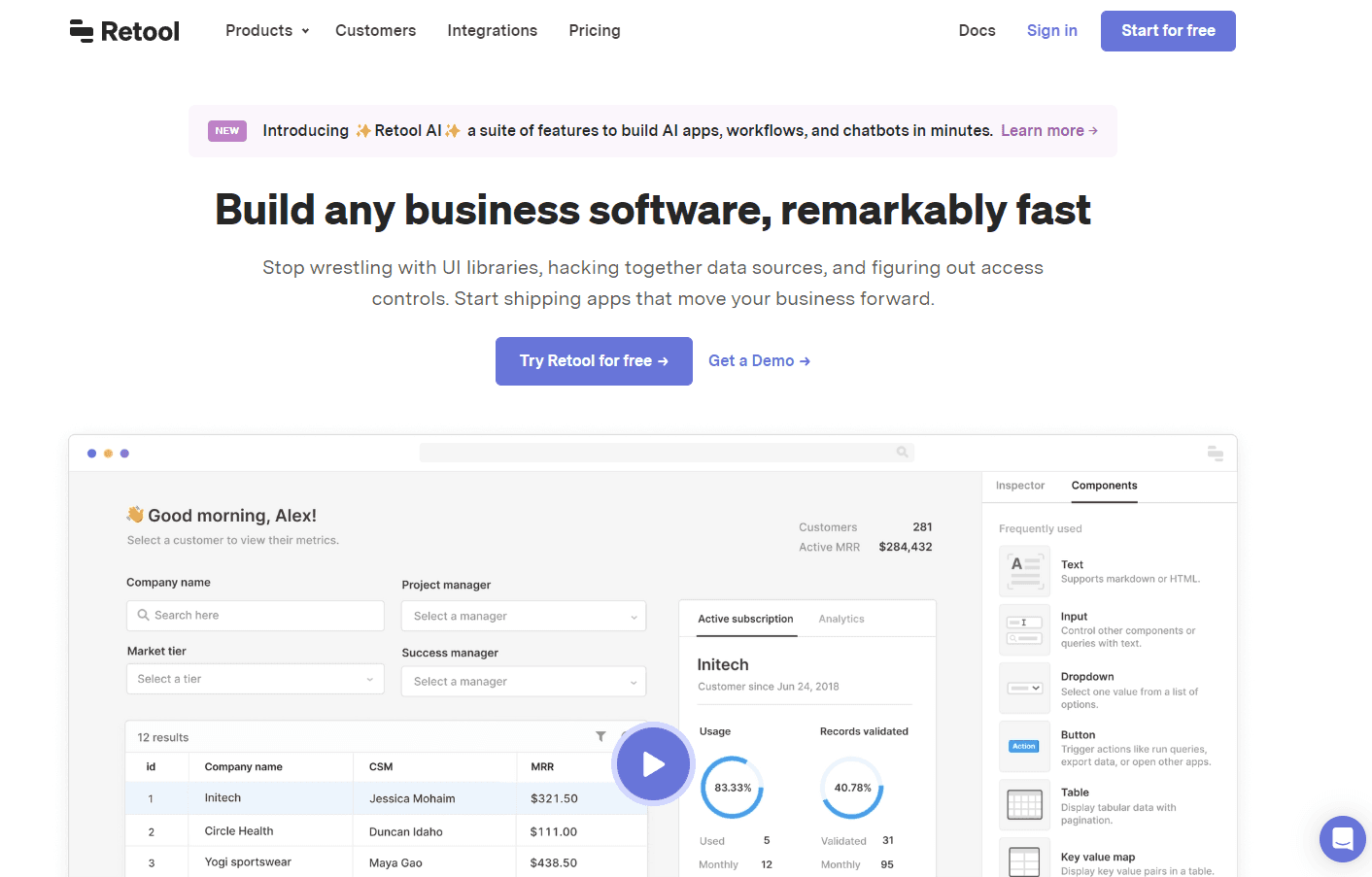
Retool is the fast way to build internal tools. Drag-and-drop their building blocks and connect them to your databases and APIs to build your own tools, instantly. From admin panels to dashboards, the platform provides a vast array of customizable options for developers and businesses.
Key Features:
- Drag-and-Drop Interface: Simplify tool creation without starting from scratch.
- Integrated with Major Databases: Connects seamlessly to popular databases and APIs.
- Customizable Components: Design tools that match your exact needs.
- Instant Feedback: Real-time view changes as you adjust and configure.
Ideal Use Case:
Retool is perfect for businesses and developers looking to rapidly design and implement internal tools without the burden of building from the ground up.
Why use Retool:
- Fast Deployment: Get your tools up and running in record time.
- Extensive Integration: Connect to almost any data source you need.
- Adaptability: Adjust and scale your tools as your business grows.
- Reduced Development Time: Focus more on strategy and less on tool creation.
FAQ
What does Retool do? Retool is a platform designed to help teams build internal tools quickly without requiring extensive custom development. It combines no-code and low-code capabilities to accelerate the creation of business applications.
Who should use Retool? Retool is built for developers and technical teams who need to create internal tools and dashboards efficiently. It's particularly useful for organizations that want to reduce the time spent on repetitive tool-building tasks.
How much does Retool cost? Retool offers a free trial so you can test the platform before committing. Visit the Retool pricing page for current plans and detailed pricing information.
How does Retool compare to similar tools? While tools like GitHub Copilot, Cursor, and v0 focus on code generation and AI-assisted development, Retool takes a different approach by providing a dedicated platform specifically for building internal tools with visual development and pre-built components.
tl;dr:
Retool offers a streamlined platform for rapid development and deployment of custom internal tools through an intuitive drag-and-drop interface and extensive integration capabilities.
Related
Looking for more options? Browse the Developer Tools directory or read our best AI coding tools listicle. Retool has a Wikipedia entry and is tracked on Crunchbase.
Why Use Retool
Editorial Review
Our take on Retool.

Retool is a no-code platform for building internal tools and dashboards without writing backend code.
What works
- Connects directly to databases and APIs with minimal configuration
- Pre-built components handle common patterns (tables, forms, charts)
- Internal tools ship noticeably faster than custom development
What doesn't
- Visual builder constraints for non-standard interaction patterns
- Best fit for data-heavy internal tools, not public-facing products
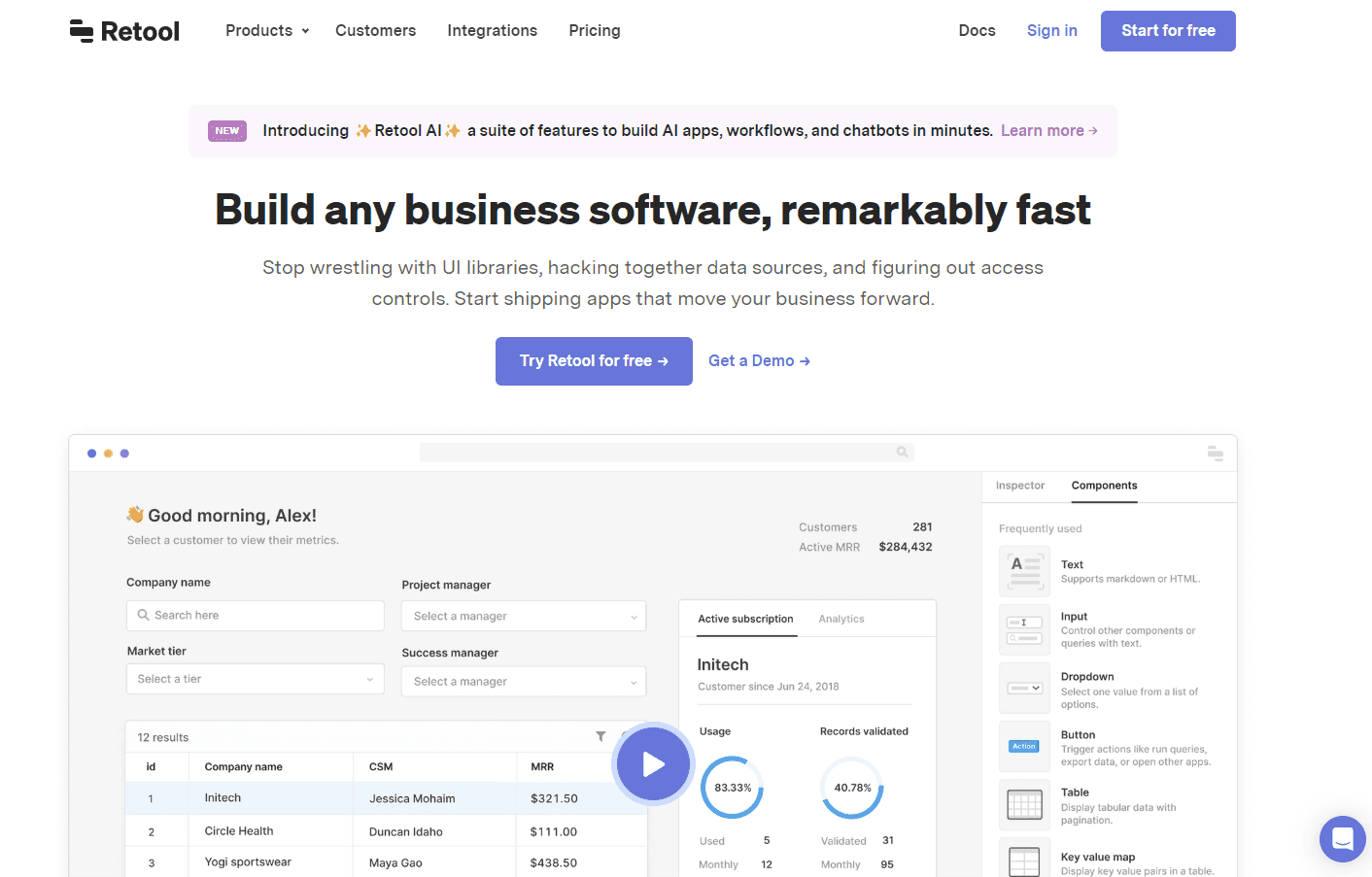
Retool lets you assemble internal apps—dashboards, admin panels, CRUD tools—by connecting to your databases and APIs, then arranging pre-built components visually. You're not starting from scratch; you're wiring together what already exists in your infrastructure. The appeal is speed: teams report shipping tools in hours instead of weeks.
The platform handles the plumbing that usually eats development time: authentication, permissions, database queries, API calls. You get a component library (tables, forms, charts, maps) that work out of the box. For straightforward data-heavy interfaces—inventory dashboards, user management panels, reporting tools—this moves fast.
The catch is scope. Retool shines on internal-facing, CRUD-heavy tools. If you need something public-facing, design-forward, or requiring custom interaction patterns, you'll hit the edges of what the visual builder can do and drop into code. The free trial lets you test this yourself; the limitations become clear once you try something outside its comfort zone.
User Reviews
Similar Tools