Otter.ai
AI-powered meeting notes with real-time transcription
Overview
Otter.ai: AI-Powered Voice Meeting Notes and Real-Time Transcription
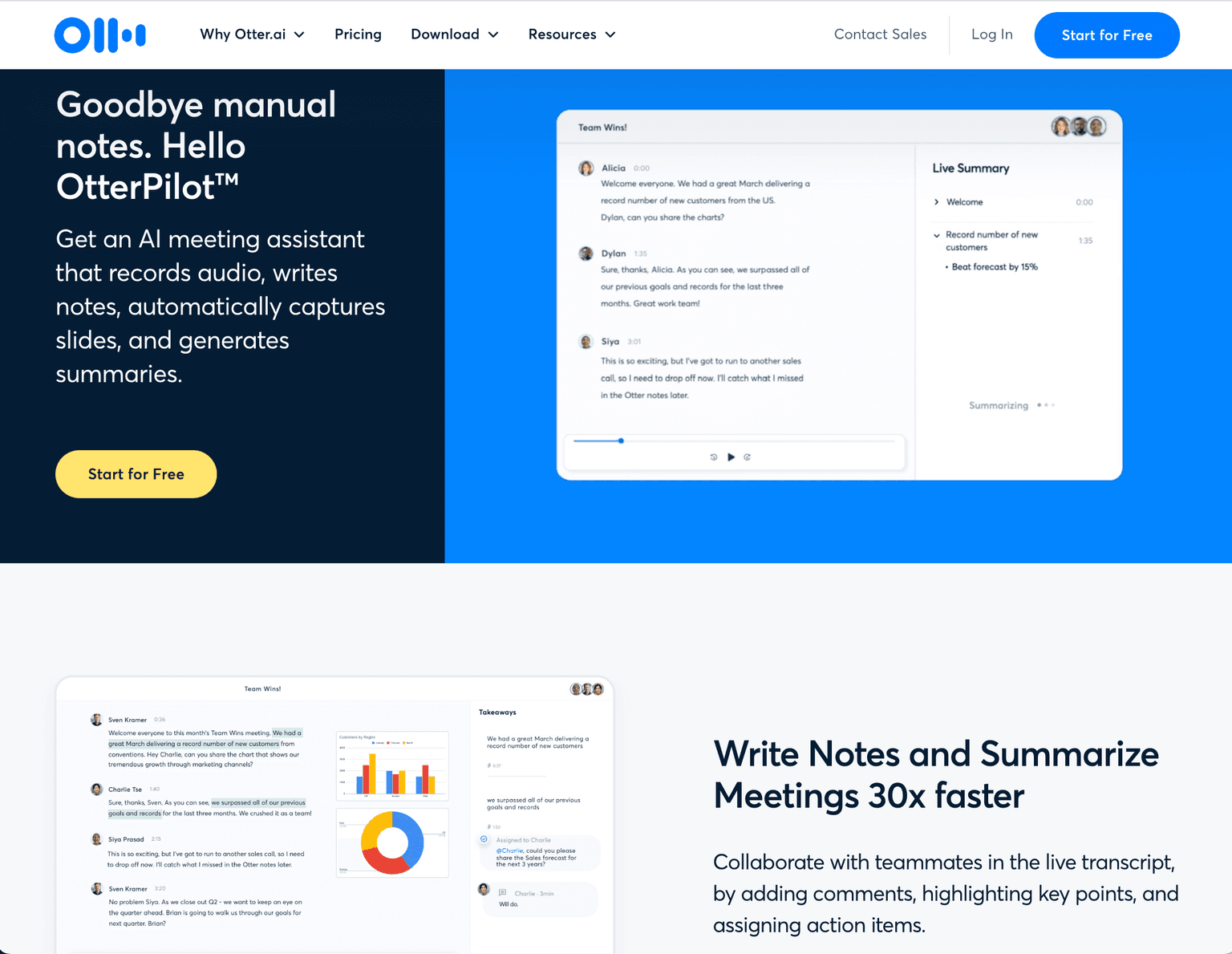
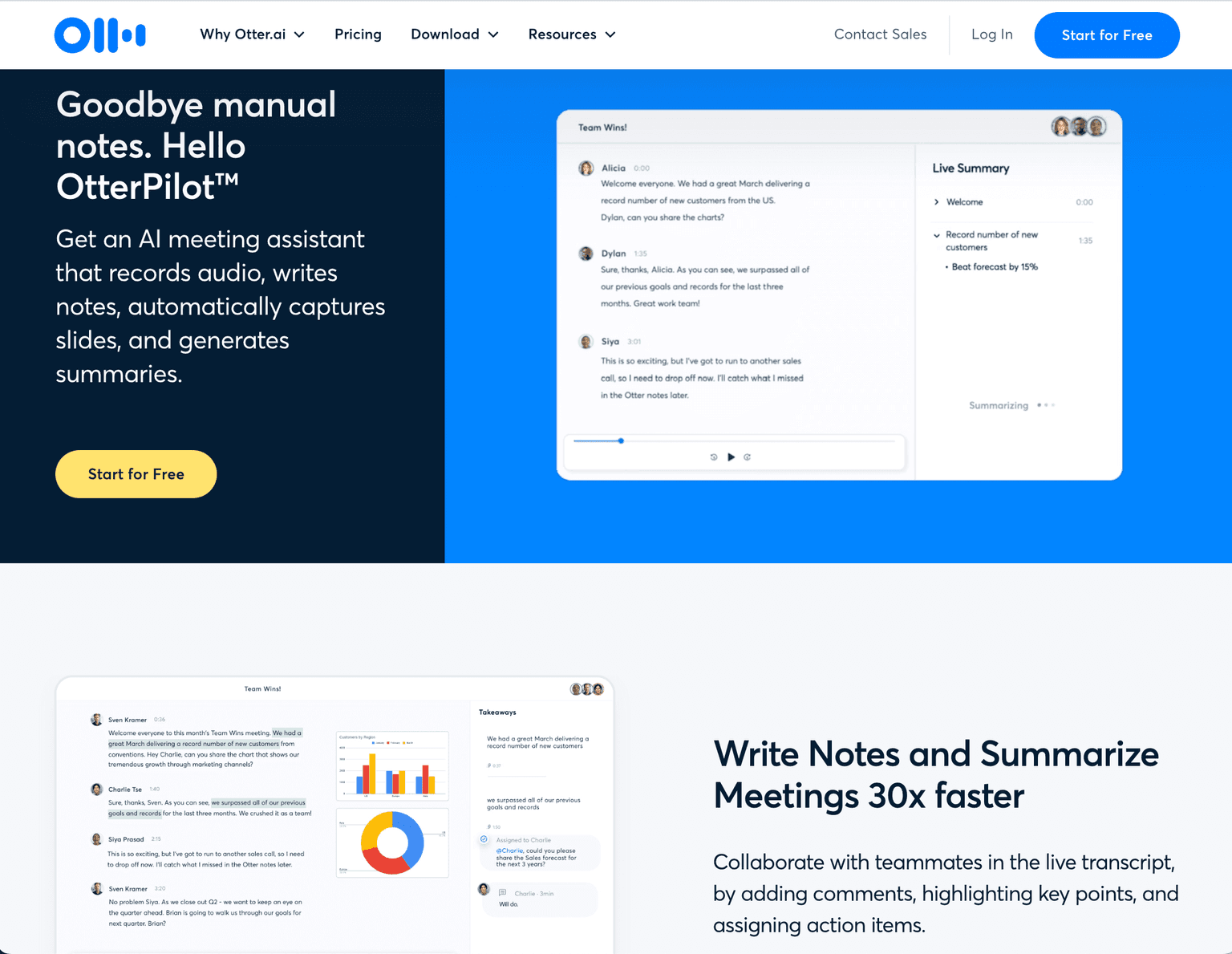
Otter.ai is an AI-driven tool that provides automatic meeting notes with real-time transcription, recorded audio, automated slide capture, and meeting summaries. It's designed to enhance productivity in meetings, lectures, and interviews.
Key Features:
- Real-time transcription
- Automated meeting notes
- Automated slide capture during virtual meetings
- Live summary generation
- Integration with Zoom, Google Meet, Microsoft Teams
- Available on iOS, Android, and as a Chrome Extension
Ideal Use Case:
Perfect for businesses, educators, students, and journalists who need to transcribe meetings, lectures, or interviews efficiently.
Why use Otter.ai:
- Saves time with automatic transcription
- Enhances collaboration with live comments and highlights
- Keeps track of key details with automated slide capture
- Offers a free version with premium features for advanced needs
FAQ
What does Otter.ai do? Otter.ai is an AI-powered tool that transcribes meetings and conversations in real time, automatically generating meeting notes so you can focus on the discussion instead of taking notes by hand.
Who should use Otter.ai? Otter.ai works well for professionals who attend frequent meetings, conduct interviews, or need accurate transcripts of conversations—anyone looking to save time on note-taking and create searchable records of their discussions.
What pricing options does Otter.ai offer? Otter.ai operates on a freemium model, meaning you can get started at no cost with basic features. Visit the Otter.ai pricing page for current plans and to see which features require a paid subscription.
How does Otter.ai compare to other AI tools? While tools like ChatGPT, Gemini, and Perplexity.ai are general-purpose AI assistants, Otter.ai specializes specifically in meeting transcription and conversation intelligence, making it more focused for capturing and organizing spoken discussions.
tl;dr:
Otter.ai revolutionizes the way you handle meetings and lectures by providing real-time transcriptions and summaries. It's a must-have tool for anyone looking to streamline their note-taking process.
Related
Looking for more options? Browse the Productivity directory or read our best AI productivity tools listicle. Otter.ai is also tracked on Crunchbase.
Why Use Otter.ai
Editorial Review
Our take on Otter.ai.

Still the lowest-friction way to turn meetings into searchable text, now with agents that draft follow-ups and push notes to Salesforce or HubSpot. But an unresolved privacy class action over its auto-joining bot means consent hygiene is now part of the price of using it.
What works
- Low-friction real-time transcription with a genuinely usable free tier (300 minutes/month, now including the Otter MCP server and English/French/Spanish support)
- Searchable, speaker-tagged meeting archives, plus agents that draft follow-ups and push notes to Salesforce and HubSpot
- Clear pricing ladder: free, $8.33/month Pro (annual), $19.99/month Business (annual) with unlimited transcription and 4-hour meetings
What doesn't
- Unresolved consolidated privacy class action over default auto-join recording and training use — teams in two-party-consent states need explicit consent workflows
- Captures what was said, not decisions or synthesis; transcription quality still degrades with poor audio
Otter.ai still does its one thing well: it listens to your meetings and turns them into text you can search, jump through by speaker, and clip without ceremony. The pricing ladder is easy to reason about — the free Basic plan gives you 300 transcription minutes a month with a 90-minute per-meeting cap, Pro runs $8.33/month billed annually ($16.99 monthly) for 1,200 minutes plus custom vocabulary and advanced search, and Business at $19.99/month annual ($30 monthly) removes the cap entirely, extends meetings to four hours, and can join three concurrent calls. Enterprise adds SSO, a HIPAA add-on, and API access. The product has grown past plain transcription: the Sales Agent extracts deal insights, drafts follow-up emails, and sends notes to Salesforce and HubSpot automatically, and as of 2026 even the free plan includes the Otter MCP server and transcription in English, French, and Spanish. For anyone drowning in calls, it remains a quiet guardrail against forgetting what was said.
The thing you now have to hold alongside that usefulness is the courtroom. In re Otter.AI Privacy Litigation, a consolidated class action in the Northern District of California, alleges that Otter's Notetaker and OtterPilot recorded conversations without the consent of every participant — joining integrated Zoom, Meet, and Teams calls by default — and that those recordings fed model training without adequate disclosure. A motion-to-dismiss hearing was held May 20, 2026, and the case is unresolved; no court has found the practices illegal. But in two-party-consent states like California, statutory damages can reach $5,000 per recording, so the practical guidance is simple: turn off auto-join, announce the bot, and get consent on the record. Otter is still the workhorse of this category — it just now ships with homework.
User Reviews
Similar Tools