Notion AI
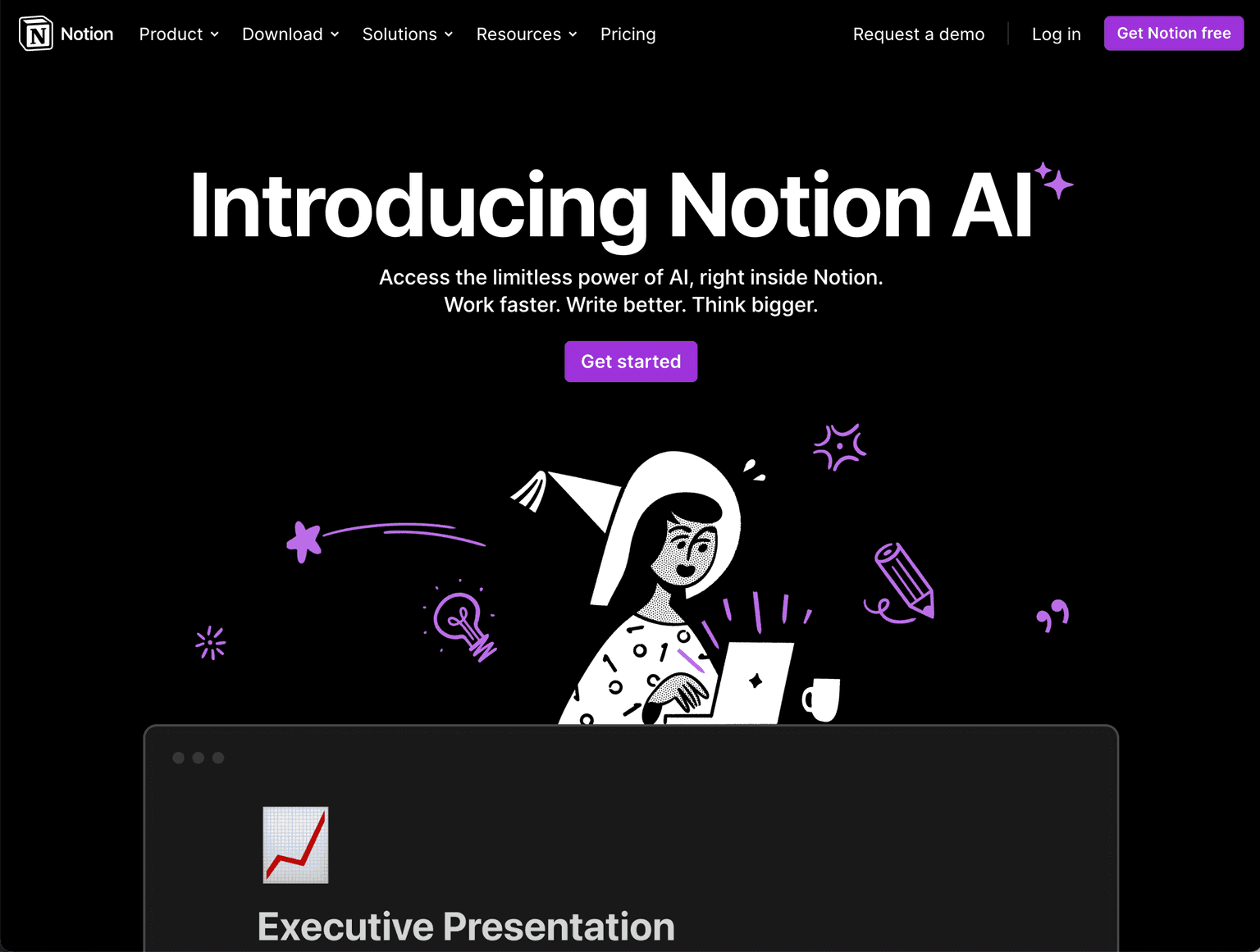
AI-powered writing assistant inside Notion to work faster, write better, and think bigger.
Overview
Notion AI: Enhance Your Productivity with AI-Powered Features
Notion AI is an innovative feature within Notion that leverages the power of AI to enhance writing capabilities. It offers tools to automate tasks, improve writing, translate languages, and augment creativity. From summarizing notes to rewriting proposals, Notion AI is designed to be an ultra-capable teammate.
Key Features:
- Automated Summaries and Action Items
- Spelling and Grammar Fixes
- Language Translation
- Voice and Tone Editing
- Creativity Augmentation
- Available across all notes, docs, and projects
Ideal Use Case:
Perfect for writers, content creators, professionals, and students who want to enhance their writing and creativity within the Notion environment.
Why use Notion AI:
- Streamlines Writing Process with AI
- Offers Translation and Tone Editing
- Enhances Creativity and Brainstorming
- Integrates Seamlessly with Notion
- Cost-Effective Compared to Other Writing Tools
FAQ
What is Notion AI and what can it help me do? Notion AI is an AI-powered writing assistant built directly into Notion that helps you work faster, write better, and think bigger. It integrates with your existing Notion workspace to provide intelligent writing support as you create and edit content.
Who should use Notion AI? Notion AI is ideal for anyone already using Notion who wants to improve their writing efficiency and quality without switching tools. It works well for students, professionals, teams, and content creators looking to streamline their writing process within their existing workspace.
What is the pricing model for Notion AI? Notion AI operates on a freemium model, meaning you can access some features at no cost while premium features are available through paid options. Visit the Notion AI pricing page for current plans and feature availability.
How does Notion AI compare to other writing assistants? Unlike standalone tools such as Writer AI, Copy.ai, or Rytr, Notion AI is embedded directly into your Notion workspace, eliminating the need to switch between applications. This makes it particularly valuable if you're already organizing your work and content in Notion.
tl;dr:
Notion AI is a groundbreaking addition to Notion, providing users with the limitless power of AI to enhance their writing and creativity. Whether it's summarizing notes or translating languages, Notion AI is a versatile tool that transforms the way you work with text.
Related
Looking for more options? Browse the AI Content Writing directory or read our best AI writing tools listicle. Notion AI is also tracked on Crunchbase.
Why Use Notion AI
Editorial Review
Our take on Notion AI.

Best AI when it is inside the doc you are already writing. Worst AI when you try to use it as a standalone assistant. Add-on pricing finally feels reasonable at $10 / user / month — but only if your team is already a Notion shop.
What works
- Inline writing assist (continue, summarize, translate, action-extract) is fast and well-placed. The latency feel is right for in-the-flow editing.
- Q&A across your workspace genuinely retrieves. Notion has the document graph to make cross-page question answering work where other tools fake it.
- Auto-fill for databases (categorize entries, extract dates, generate summaries per row) is the killer use case for ops teams running Notion as their system of record.
- AI Meeting Notes (2025) compete credibly with Granola and Fireflies for in-workspace teams. The meeting transcript stays attached to the right project page.
- $10 / user / month add-on (or included in Business+) is meaningfully cheaper than separate ChatGPT or Claude Teams seats.
What doesn't
- General-purpose chat is markedly worse than ChatGPT or Claude. You will switch out for any hard reasoning work.
- Q&A still misses connections the underlying graph clearly has. Relevance ranking is the weak link in an otherwise good product.
- No model choice. You get whatever Notion has wired in this quarter (a rotating mix of Claude and OpenAI). When the routing changes, output character changes with it.
- Long-form generation feels generic. Tone-of-voice tuning is shallow; brand consistency is a real-world miss for marketing teams.
- Outside the Notion workspace it has no presence. If half your team lives in Google Docs, you are paying for half-coverage.
Notion AI is the cleanest example of "AI as a feature, not a product" in our directory. It is not trying to win the general chatbot race. It is trying to make the docs, databases, and meeting notes your team already lives in measurably better with AI woven through them. Through 2024 and into 2026, that bet has paid off — for teams that were already Notion shops. For everyone else, the math is harder.
Inline assist is the actual product
The Notion AI surface that gets the most daily use is the simplest: the inline writing assist that appears when you hit space on an empty line or select text. Continue this paragraph. Summarize this page. Translate. Improve writing. Extract action items. The latency is right (sub-second on most operations), the placement is right (where your cursor already is), and the quality is consistent enough that the second-guess rate is low.
This is the lift that earns the $10 add-on. A team that drafts a hundred documents a month gets meaningful time back without changing any habits.
Q&A across the workspace: the architectural win
Notion has a structural advantage other AI products do not: it owns the document graph. When you ask Notion AI a question about your workspace, it can traverse your pages, databases, and meeting notes in a way that ChatGPT's web retrieval or Claude's Projects context cannot. For an ops or product team that runs Notion as the system of record, this is the highest-leverage AI feature on the market — "what did we decide about pricing at the leadership offsite" is a question Notion can answer authoritatively and your other AI tools cannot.
The complaint, and it is a real one, is that the relevance ranking has not caught up to the architectural opportunity. Notion AI will miss obvious connections in your graph, anchor on the wrong page, or surface stale information when newer pages exist. The architecture is right; the search layer that powers it needs work.
Database auto-fill: the underrated workflow
The least-marketed and most-valuable feature is AI-powered database auto-fill. Drop a list of customer feedback into a Notion database, configure an AI property to "categorize this entry as bug / feature request / praise / complaint," and watch the database auto-classify entries as they arrive. This is the workflow that turns Notion AI into a structured-data tool rather than just a writing assistant. Ops teams that have leaned into this report the largest productivity lift of any Notion AI feature.
Where it falls short
Three honest gaps. General-purpose chat (the "Ask Notion AI anything" surface) is markedly worse than ChatGPT or Claude. The model routing, the system prompt, and the response style are all tuned for in-workspace work, not for open-ended reasoning. For any hard analytical question, you will switch out, which means you are paying for two subscriptions in practice.
Tone-of-voice tuning is shallow. Marketing teams who want generated copy to match brand voice will find the controls underbuilt — there is no "always write like our brand guidelines" toggle that actually carries through, and the output reads generic in a way that requires heavy editing.
Outside the Notion workspace, the AI has no presence. If your team is half on Notion and half on Google Docs, you are paying for half of your knowledge-work surface. This is not Notion's fault — it is a structural consequence of the embed-everywhere strategy — but it bears naming when you cost the subscription.
Who should buy
The $10 / user / month add-on (or the bundled inclusion in Business+ and Enterprise tiers) is the right answer for any team where Notion is already the primary documentation, planning, or knowledge-base surface. The inline assist and database auto-fill features earn the cost.
It is not the right answer as a primary AI subscription, and it is not the right answer for teams that have not yet committed to Notion as their system of record. Solve the workspace question first; add Notion AI second.
The honest comparison
Notion AI's closest analogue is Coda AI in concept and Slack AI in placement. None of the three can compete with ChatGPT or Claude as a primary AI subscription, and none of them try to. The right framing is "AI inside the tool I use every day" — and on that framing, Notion AI is the leader.
Re-check triggers
We will re-rate when Q&A relevance ranking improves meaningfully, when Notion ships tone-of-voice controls that actually work for brand-driven teams, or when the model-routing visibility (which model is answering this query) gets surfaced to users.
User Reviews
Similar Tools