GitHub Spark
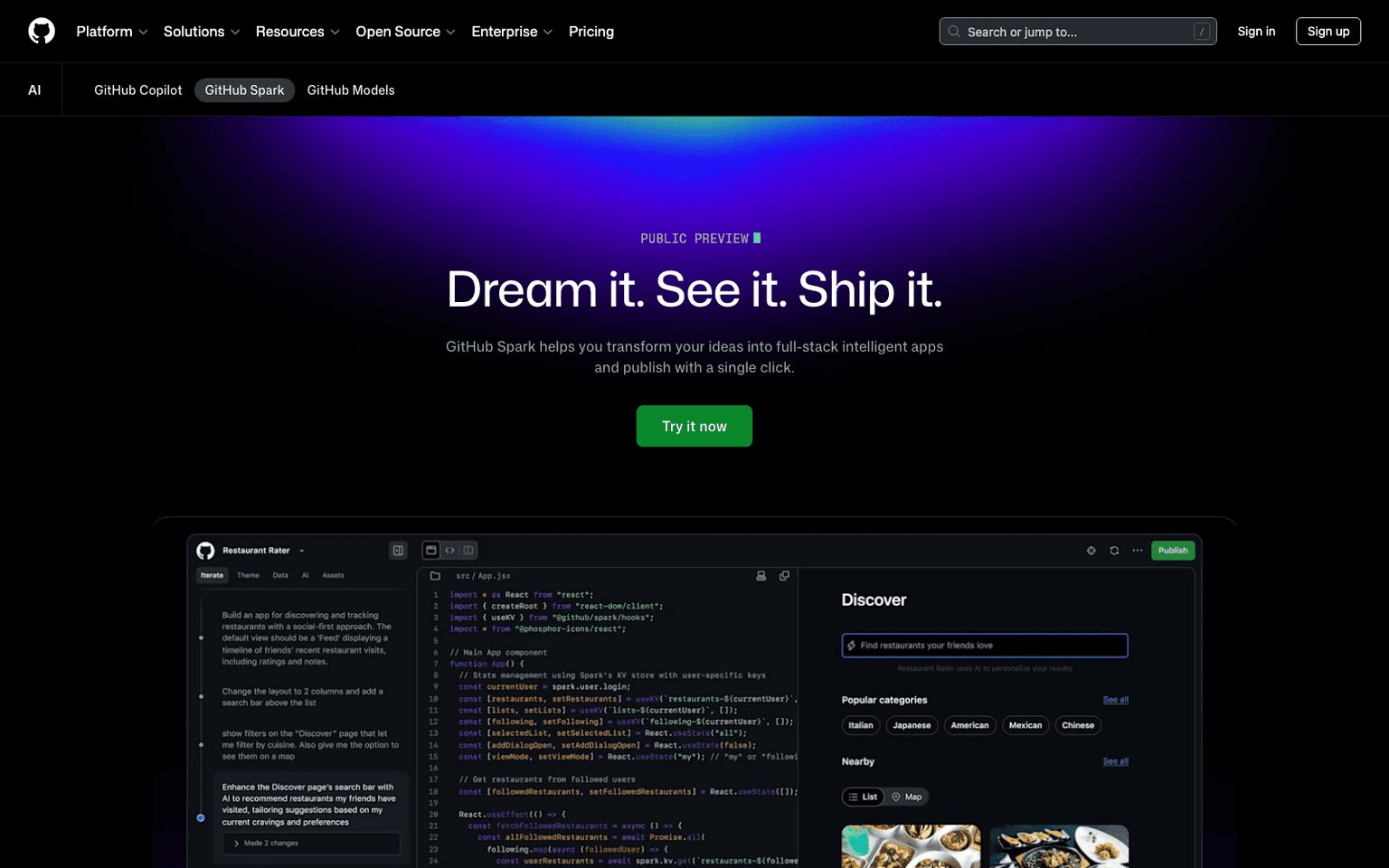
GitHub's AI-powered tool for creating and sharing micro apps from natural language prompts — type what you want, watch the app run live, iterate visually.
Overview
GitHub Spark: AI App Builder by GitHub
GitHub Spark is GitHub's entry into the conversational app-building category — the same space as Lovable, v0, Bolt, and Trickle, but with the deep code-and-version-control integration that only GitHub can ship. Type a natural-language description of what you want, Spark generates the app, runs it live in an interactive preview, and lets you iterate by talking to it more.
The "app-centric feedback loop" is the differentiator: you specify as little or as much detail as you want, then iterate visually as you learn what you actually meant. Generated apps are real (live URLs, persistent data) — not just code dumps.
Key Features
- Natural-language app generation with live interactive preview
- Apps run immediately — no separate hosting/deploy step
- Personal data store, integrations, and AI features built in
- Full GitHub integration — version, fork, share Sparks
- Available to GitHub Copilot subscribers
Ideal Use Case
Developers and operators who want to ship internal tools, prototypes, or personal utility apps without the overhead of full-app projects. Particularly strong for teams already paying for GitHub Copilot — Spark comes included.
Why Use GitHub Spark
The vibe-coding category (Lovable, v0, Bolt) is crowded but Spark has unique advantages: GitHub's identity layer for sharing/forking, deep IDE integration via Copilot, and the trust that comes from running on GitHub infrastructure.
FAQ
What does GitHub Spark do? GitHub Spark lets you create working micro apps by describing what you want in natural language. The tool generates code and runs your app live so you can see it in action and make changes visually without writing code manually.
Who should use GitHub Spark? GitHub Spark is designed for developers and creators who want to quickly prototype and build small applications without handling all the coding details themselves. It's useful for anyone looking to turn ideas into working apps fast.
How much does GitHub Spark cost? GitHub Spark uses a paid pricing model. Visit the GitHub Spark pricing page for current plans and details on costs.
How does GitHub Spark compare to similar tools? Unlike GitHub Copilot, which focuses on code completion, or Cursor, which emphasizes code editing, GitHub Spark specializes in generating complete micro apps from prompts. It occupies a different space than v0 by prioritizing live iteration and visual feedback during development.
tl;dr
GitHub's prompt-to-app builder. Live interactive preview, GitHub-native sharing, included with Copilot. Vibe coding from the source.
Related
Looking for more options? Browse the Developer Tools directory or read our best AI coding tools listicle. GitHub Spark is also tracked on Crunchbase.
Why Use GitHub Spark
Editorial Review
Our take on GitHub Spark.

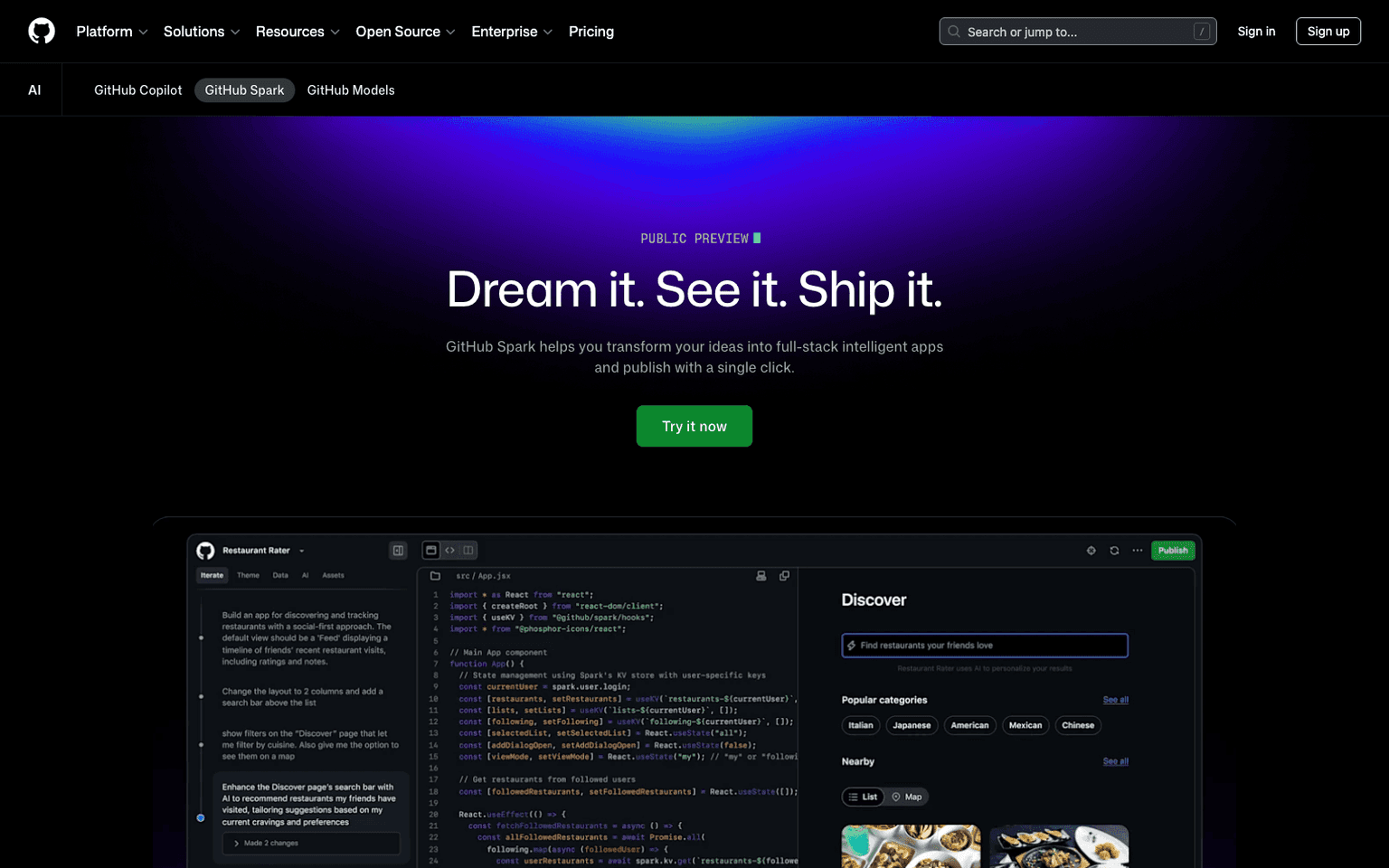
GitHub Spark turns natural language into runnable micro apps with live iteration—a capable no-code builder for developers who think in prose.
What works
- Live iteration from natural language keeps friction minimal
- Built on GitHub infrastructure for familiar workflows
- Visual feedback loop accelerates early-stage prototyping
What doesn't
- Micro-app scope limits production viability
- Output quality depends heavily on prompt precision
GitHub Spark is a no-code developer tool that lets you describe an app idea in plain English and watch it materialize as a live, interactive micro app. You type a prompt, the AI generates working code, and you iterate visually in real time without touching syntax. It's built on GitHub's infrastructure, so the friction between idea and deployment is genuinely low. The visual feedback loop—seeing your description become a clickable app instantly—removes a real bottleneck in early-stage prototyping.
The tool shines for rapid iteration cycles and teams that want to bypass boilerplate. Since it runs live in the browser, you can refine prompts and see results immediately, which beats the edit-compile-run loop. For solo developers or small teams exploring concepts, the speed gain is tangible. The main trade-off is that micro apps have inherent scope limits; this isn't a path to production-grade applications. You're also reliant on prompt clarity—vague descriptions yield vague results, so some craft in asking matters.
User Reviews
Similar Tools