Open Interpreter
Desktop AI agent that edits files, controls apps, and learns new skills — with full Word/Excel/PDF.
Overview
Open Interpreter: The Desktop App for AI Power Users
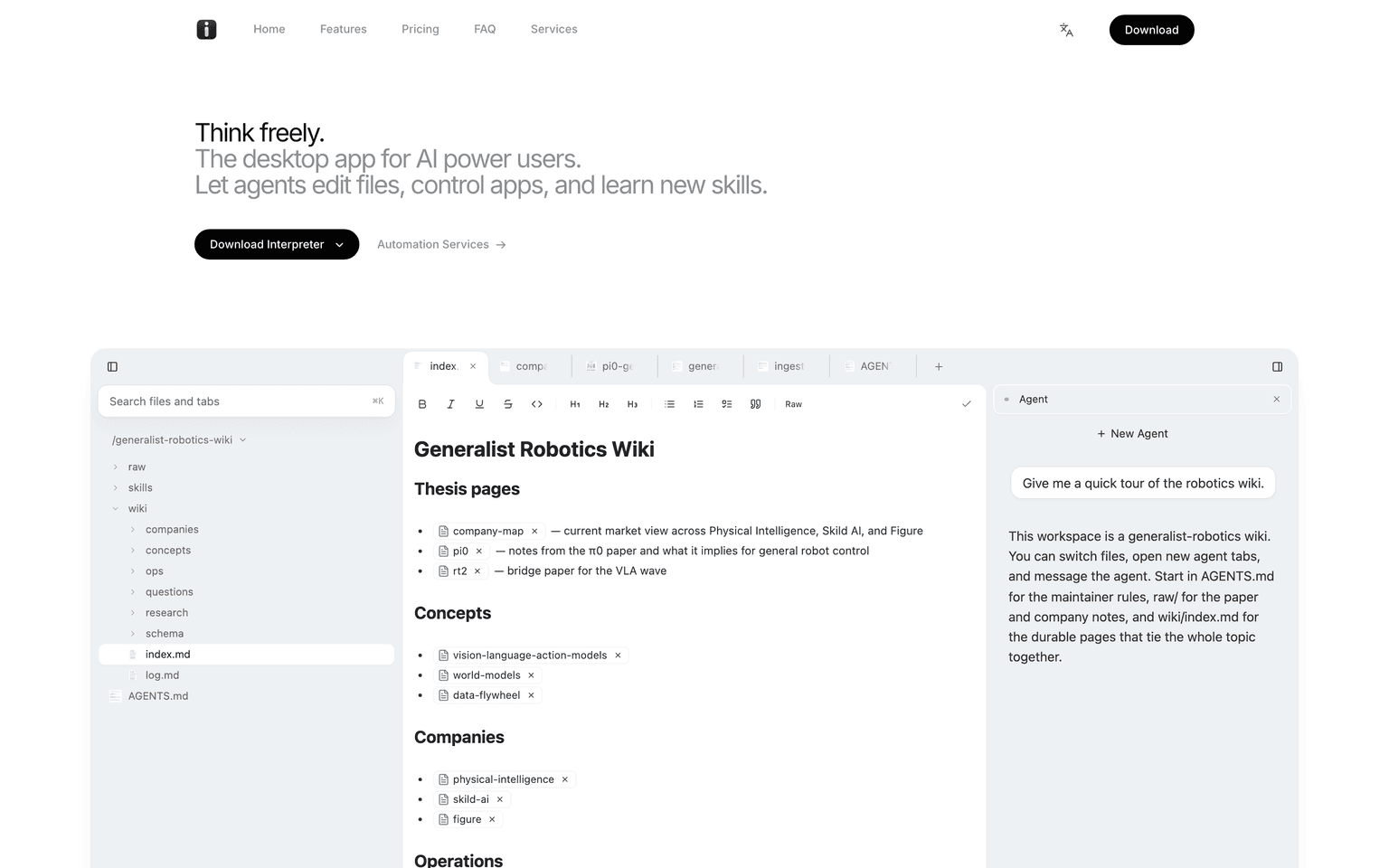
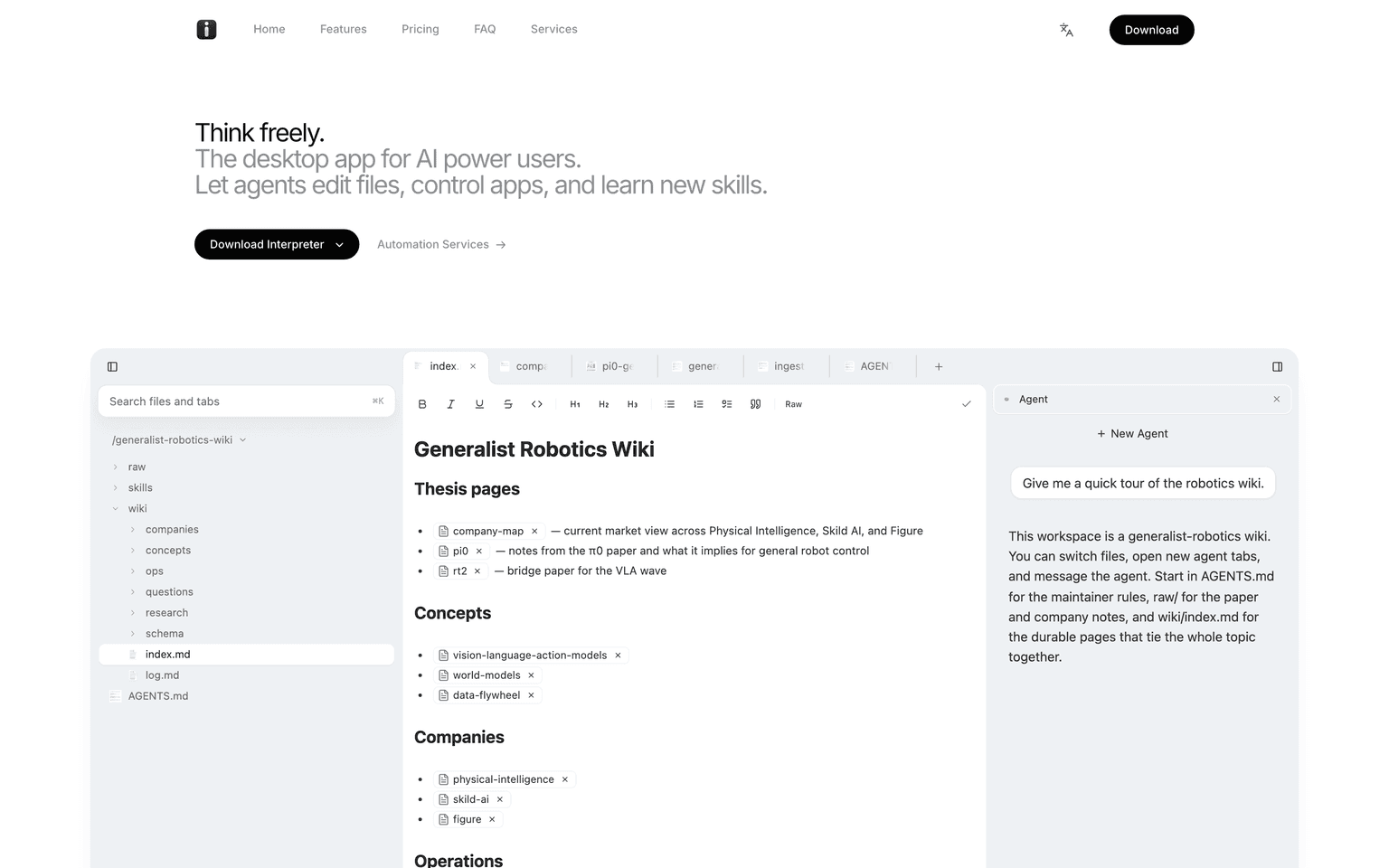
Interpreter is a desktop AI agent that lets you work alongside agents to edit documents, fill PDF forms, control apps, and learn new skills. Where most agents live in chat windows, Interpreter ships full editors for Word, Excel, and PDF baked in — so the AI can actually do the work, not just describe it.
Use your own API keys or sign in with ChatGPT to keep costs predictable, run offline with no telemetry, or upgrade to hosted models on the Pro plan. Interpreter is built for power users who want a real desktop application for AI-driven work, not another browser tab.
Key Features:
- Full editors for Word, Excel, and PDF built in
- Fill PDF forms instantly, including non-interactive ones
- AI-native Excel replacement: pivot tables, charts, formulas
- Bring your own API keys (Claude, GPT, etc.)
- Sign in with ChatGPT for hosted access
- Runs offline with no telemetry on Free
- Experimental browser control on Free
- Experimental macOS control on Pro
- Three tiers: Free ($0), Pro ($20/mo), Business ($60/mo)
- Custom Automation Services for teams
Ideal Use Case:
Interpreter is ideal for AI power users who want a real desktop application — not a browser tab — for document-heavy work, automation, and agentic file editing. Strong fit for analysts, ops teams, and anyone whose day involves Word, Excel, or PDF work.
Why Use Open Interpreter:
- Real desktop app, not a chat window
- Full Word, Excel, and PDF editors built in
- Bring your own model and run offline
- Predictable pricing (free, $20, or $60/mo)
- Privacy-first: no telemetry on Free
FAQ
Is Open Interpreter free? Free tier exists with BYO API keys. Pro is $20/mo, Business is $60/mo.
Does it work offline? Yes — bring your own keys and run with no telemetry.
Can it really fill PDF forms? Yes, including non-interactive forms.
What about Excel? Interpreter ships a fully-featured AI-native Excel replacement: pivot tables, charts, formulas, and more.
tl;dr:
Open Interpreter is the desktop app for AI power users — full Word, Excel, and PDF editors plus an agent that edits files, controls apps, and learns new skills. Free tier, BYO key, runs offline.
Related
Looking for more options? Browse the Developer Tools directory or read our best AI coding tools listicle. Open Interpreter is also tracked on Crunchbase.
Why Use Open Interpreter
FAQ
Editorial Review
Our take on Open Interpreter.

Open Interpreter is a desktop AI agent that runs code and controls your apps directly, turning natural language into file edits and automated workflows.
What works
- Executes actual file edits and app control, not just suggestions
- Free local-only option, no cloud lock-in required
- Works across Office formats and system tasks developers need
What doesn't
- Code generation on your machine carries inherent safety tradeoffs
- Precision and reliability depend heavily on model choice and setup
Open Interpreter handles the kind of work that usually needs you to switch between apps: edit a Word doc, run a spreadsheet calculation, generate a PDF, organize files. You write what you want in plain English, and it translates that into executable code on your machine—Python, JavaScript, shell commands—then carries it out. What makes this different from a chatbot is the action layer: you're not getting suggestions, you're getting actual edits and transformations on your system.
The freemium model means you can try the local version free and step up to cloud-based models if you want more capability or reliability. Desktop control is where this gets interesting for creators and developers who live in their file systems—bulk renaming, batch conversions, pulling data across Office apps. The trade-off is precision and safety: you're running untrusted code generation on your machine, which requires either strong guardrails in the UI or careful human review of what it's about to do.
Worth trying if your workflow is heavily file-and-automation focused and you're comfortable with the sandbox implications. The learning curve exists—setting up local models, understanding what the agent can and can't reliably do—but the payoff is real for the right use case.
User Reviews
Similar Tools