FlutterFlow
Build and deploy apps visually with FlutterFlow.
Overview
Build Visually with FlutterFlow
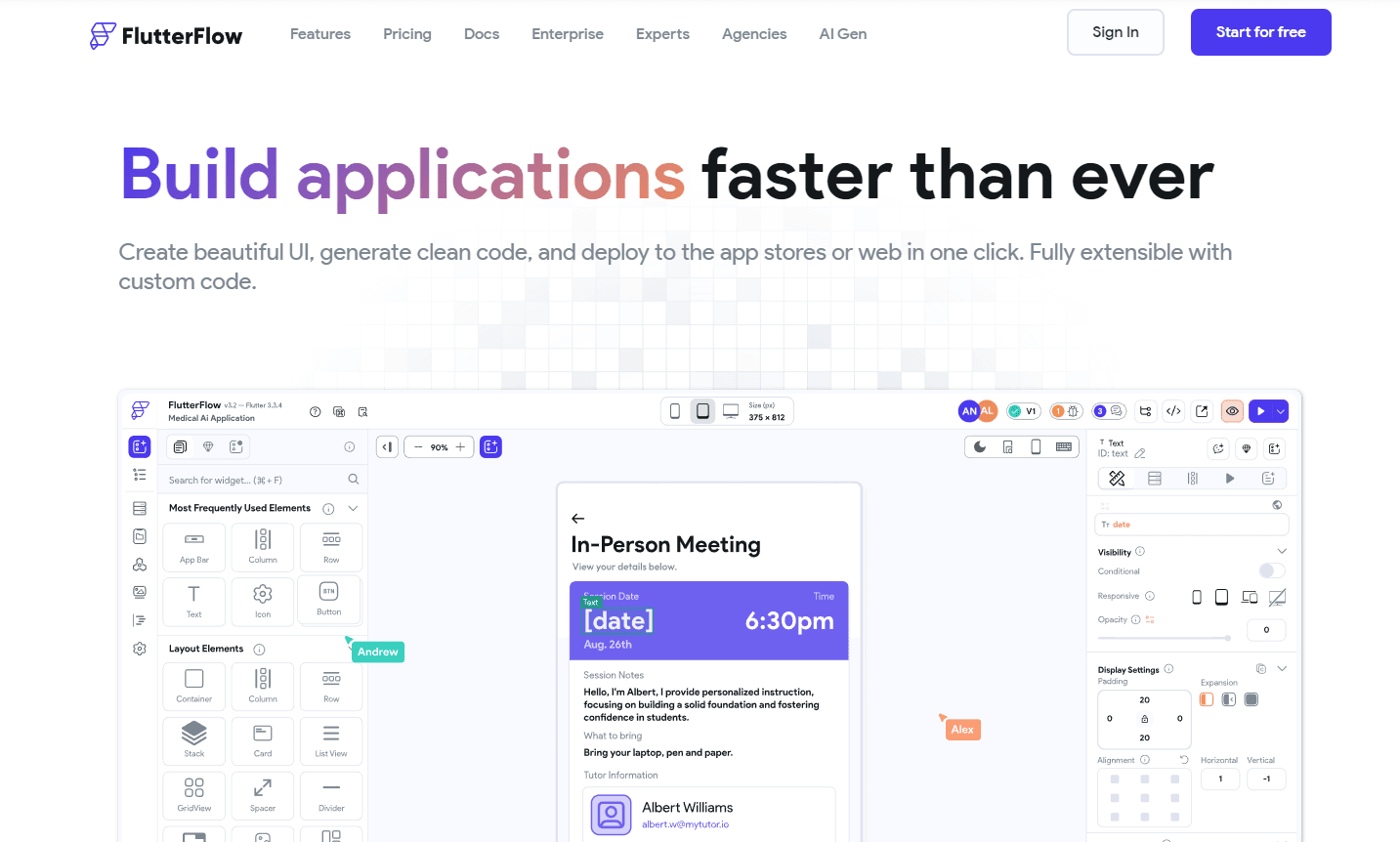
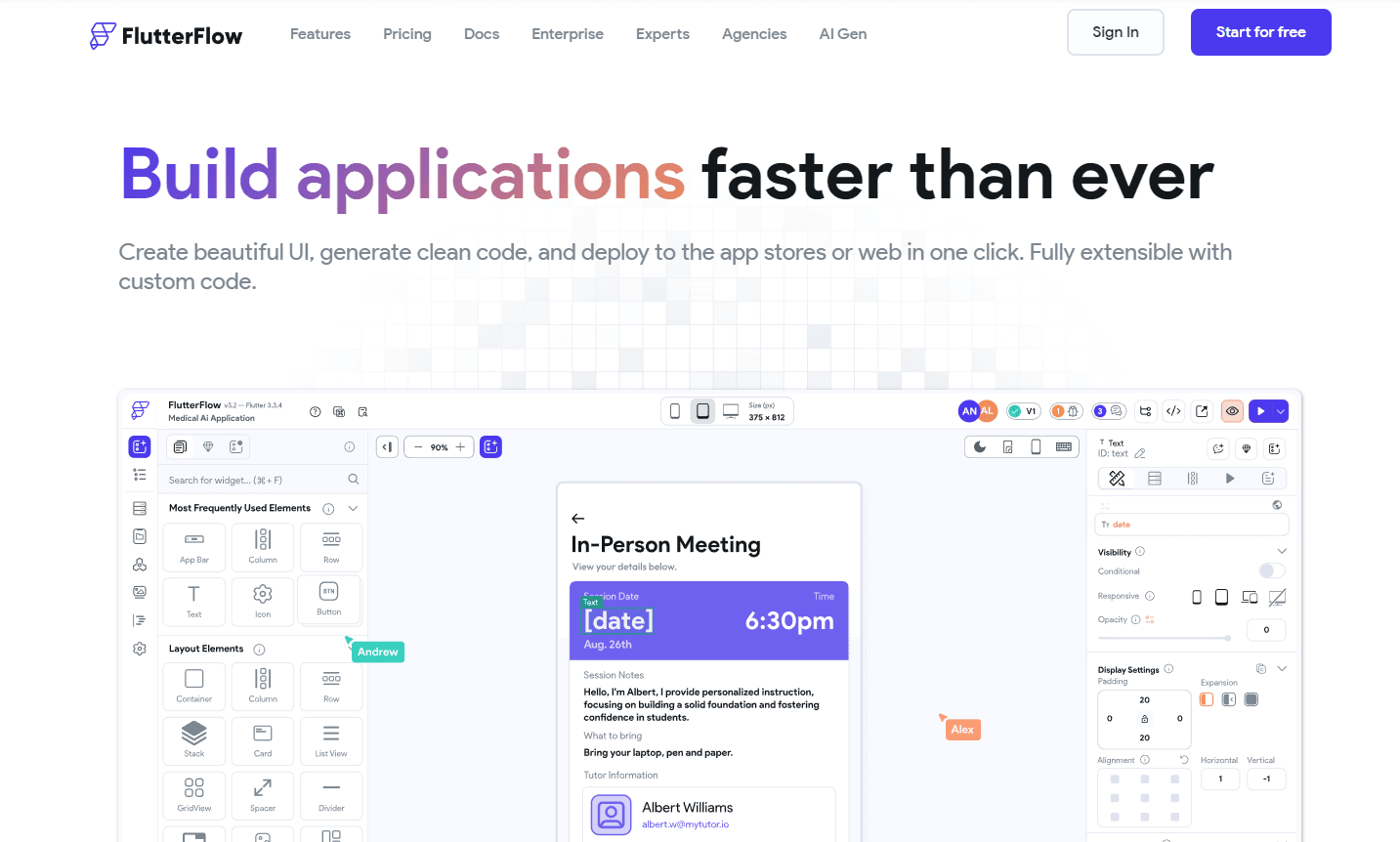
FlutterFlow offers a unique approach to app development, allowing users to visually design and deploy applications. With its intuitive drag & drop interface, users can create apps up to 10 times faster. The platform boasts over 80+ Flutter Widgets and 170+ pre-designed components, making it a versatile tool for both beginners and seasoned developers.
Key Features:
- Visual UI & Logic Builder: Easy drag & drop interface with over 80+ Flutter Widgets.
- Integrated Logic & Connections: Seamless Firebase integration and API support.
- Responsive Design: Build apps that fit every device size.
- Custom Code Implementation: Add custom widgets or actions and integrate them into the UI builder.
- Localization: Translate your entire app instantly with Google Translate.
- One-Click Deployment: Export clean code or deploy directly to app stores or web.
Ideal Use Case:
FlutterFlow is perfect for developers who want to expedite the app development process without compromising on quality. It's also ideal for non-developers who wish to bring their app ideas to life without diving deep into coding.
Why use FlutterFlow:
- Speed: Build apps faster with a visual interface.
- Flexibility: Over 80+ Flutter Widgets and 170+ components.
- Extensibility: Add custom code whenever needed.
- Deployment: One-click deployment to app stores or web.
FAQ
What does FlutterFlow allow you to build? FlutterFlow is a visual development platform that lets you build and deploy apps without writing extensive code. It combines no-code and low-code capabilities to streamline the app development process.
Who should use FlutterFlow? FlutterFlow is designed for developers and teams who want to accelerate app development by using a visual builder instead of traditional coding methods. It's useful for anyone looking to create applications more quickly with less manual code.
How much does FlutterFlow cost? FlutterFlow operates on a paid pricing model. Visit the FlutterFlow pricing page for current plans and details on what's included at each tier.
How does FlutterFlow compare to similar tools? While tools like GitHub Copilot, Cursor, and v0 focus on code generation and AI-assisted development, FlutterFlow takes a visual, no-code approach to building complete applications. Your choice depends on whether you prefer visual app building or AI-powered code assistance.
tl;dr:
FlutterFlow is a visual app builder that accelerates the development process. With its drag & drop interface, extensive widget library, and custom code capabilities, it's a go-to platform for modern app development.
Related
Looking for more options? Browse the Developer Tools directory or read our best AI coding tools listicle. FlutterFlow is also tracked on Crunchbase.
Why Use FlutterFlow
Editorial Review
Our take on FlutterFlow.

Visual Flutter development that trades code control for speed, best if you want apps fast and don't need deep customization.
What works
- Visual editor feels intuitive and purposeful, not clunky
- Exports real Flutter code you can extend by hand
- Speeds up standard app features and layouts significantly
What doesn't
- Custom logic pushes you back into code editing quickly
- Pricing model requires inquiry; no transparent pricing posted
FlutterFlow lets you design and ship Flutter apps by dragging components onto a canvas instead of writing code line-by-line. The appeal is real: you get a working app without wrestling syntax, and the visual editor does feel intentional—it's not just a code-generator pretending to be friendly. The exported code is actual Flutter, which means you can pop into the code editor when you need to, though that moment often comes sooner than you'd expect.
Where it shines is getting from idea to prototype fast, especially if you're building fairly standard app layouts: forms, lists, navigation. The visual binding system for connecting UI to logic is thoughtful. But the further you push into custom behavior or unusual interaction patterns, the more you'll find yourself reaching for the code layer anyway. That's not a flaw—it's the honest trade-off of the no-code space.
If you're a designer wanting app output without hiring a developer, or a developer who wants to skip boilerplate on standard features, this scratches that itch. Just go in knowing you're optimizing for speed over flexibility.
User Reviews
Similar Tools