Reverso
Reverso is a free translation and dictionary service with neural machine translation in 28 languages, grammar check, and vocabulary tools.
Overview
Reverso
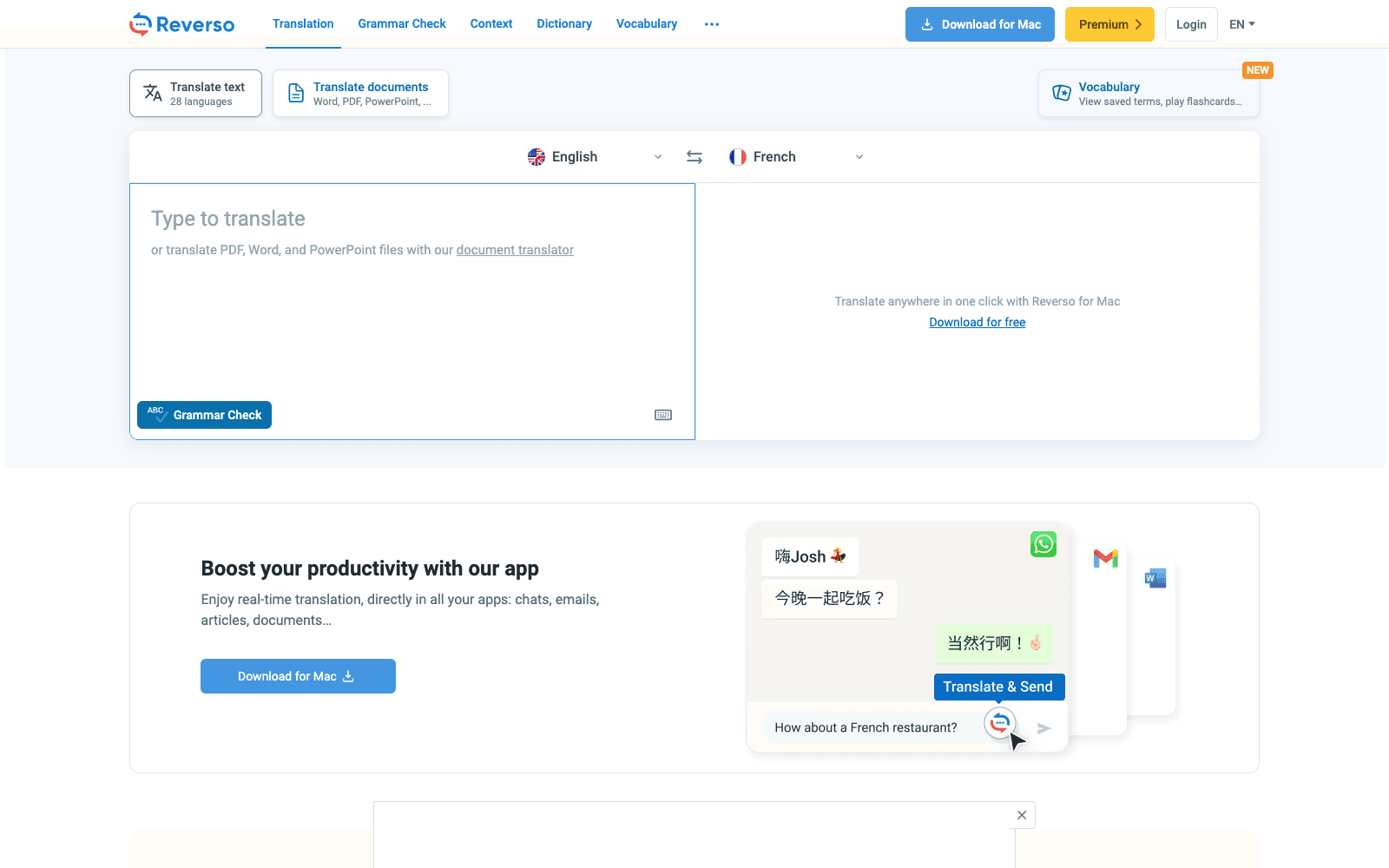
Reverso is a free online translation service built around neural machine translation and a dictionary that shows every word inside real example sentences. Type or paste text and Reverso translates across 28 languages, including French, Spanish, German, Russian, Portuguese, Hebrew, Japanese, Arabic, Dutch, Polish, Romanian, and Turkish, with synonyms one click away and native-speaker pronunciation for the output. The same account carries a document translator for Word, PDF, PowerPoint, and Excel that preserves layout, an AI grammar checker and rephraser, a verb conjugator covering ten languages, and a vocabulary notebook with flashcards and spaced-repetition quizzes. Reverso ships free apps for Mac, Windows, iOS, Android, and Chrome and Edge, and the Mac app translates in place inside chats and email. As of 2026 a Premium subscription lifts the text limit, adds document quota, and includes unlimited rephrasing across all Reverso products.
Production credibility: Site states it serves millions of people and large organisations and that its neural machine translation is used by some of the biggest companies and translation agencies; Corporate Translator and team pricing offered; free apps on Mac, Windows, iOS, Android, Chrome, Edge, and Firefox.
Key Features
- Neural machine translation across 28 languages with synonyms and in-context examples one click away
- Document translation for Word, PDF, PowerPoint, and Excel that keeps the original layout; scanned documents on Premium
- Reverso Context: translations shown inside real bilingual sentences so you can pick the right register
- AI grammar checker and rephraser in English, Spanish, French, and Italian, with a Word, PowerPoint, and Outlook add-in
- Verb conjugation in all modes and tenses for ten languages including Arabic and Japanese
- Vocabulary notebook with native pronunciation, cross-device sync, import from a file or photo, and spaced-repetition quizzes
- Double-click translation while reading, plus interactive subtitles on Netflix and YouTube through the browser extension
- Free apps for Mac, Windows, iOS, Android, Chrome, Edge, and Firefox, with voice translation on mobile
Ideal Use Case
Language learners and bilingual professionals who need more than a raw translation, in particular the examples-in-context view that shows how a phrase is actually used. Reverso is the pick over Google Translate when you are writing in a second language and want synonyms, register, conjugation, and a grammar pass in one place; DeepL is the usual comparison for long-form document quality.
How Reverso differentiates
Reverso's edge is the Context dictionary: instead of one output, you see the phrase inside dozens of real bilingual sentences, which is what learners and translators actually need to choose between near-synonyms. Bundling grammar checking, conjugation, pronunciation, and a spaced-repetition vocabulary trainer into the same account turns a translator into a learning tool. In 2026 the neural engine covers 28 languages and the document translator handles layout-preserving Office and PDF files. The honest trade-offs: the free tier caps text length and document volume, the Context examples are mined from translated texts and are occasionally informal or off-register, and the grammar checker covers only four languages compared with the translator's 28.
FAQ
Q: Is Reverso free? A: Yes. Text translation, Context, dictionary, conjugation, and a basic grammar check are free. Premium removes the text-length cap, adds document translation quota, unlimited rephrasing, and vocabulary sync.
Q: What is Reverso Context? A: A dictionary that shows a word or phrase inside real bilingual example sentences drawn from translated texts, so you can see usage and register rather than a single equivalent.
Q: How does Reverso compare to Google Translate or DeepL? A: Google Translate covers far more languages and DeepL is often preferred for long documents. Reverso's strengths are the in-context examples, synonyms, conjugation, and grammar tools around the translation, which suit learners and writers rather than one-off lookups.
Q: Can Reverso translate documents? A: Yes. Word, PDF, PowerPoint, and Excel files are translated with layout preserved; Premium adds scanned documents and a yearly word quota, with a Pro option for larger volumes.
Q: Does Reverso have an app? A: Yes. Free apps exist for Mac, Windows, iOS, and Android, plus Chrome, Edge, and Firefox extensions. The Mac app translates in place inside other applications.
tl;dr
Reverso is a free neural translator whose real value is the surrounding toolkit: examples in context, synonyms, conjugation, grammar check, and vocabulary flashcards. Pick it for learning and writing in a second language; pick DeepL or Google for raw volume.
Why Use Reverso
User Reviews
Similar Tools