Grammarly
Writing assistant that fixes grammar, refines tone, and drafts text across browsers and apps.
Overview
Grammarly: AI Writing Assistant for Grammar, Tone, and Generative Drafting Across Every App
Grammarly is the long-running writing assistant that millions of students, professionals, and teams trust to make every email, report, document, and message clearer, more credible, and more on-brand. What started as a grammar and spell checker has grown into a full generative AI writing platform that lives wherever you write, from Gmail and Outlook to Google Docs, Microsoft Word, Slack, LinkedIn, Notion, and the Grammarly desktop and mobile apps. With its browser extension, native desktop apps for Windows and Mac, mobile keyboards for iOS and Android, and deep Microsoft Office integration, Grammarly meets writers in the surface they already use, without forcing a context switch into a separate web app. The platform combines deterministic grammar and spelling checks, advanced style suggestions, tone detection, plagiarism checking, and a full generative AI assistant that can draft, rewrite, summarize, brainstorm, and adapt the tone of any text to match your brand voice. Whether you are a student polishing an essay, a sales rep tightening a follow-up email, a marketer writing landing page copy, a recruiter drafting outreach, or a legal team enforcing a style guide across thousands of writers, Grammarly is built to plug into the way you already work.
In day-to-day use, Grammarly feels like an editor sitting just above the cursor. The free tier flags grammar mistakes, spelling errors, basic punctuation issues, and tone signals in real time. The Pro plan unlocks 2,000 AI prompts a month for full generative writing assistance, sentence-level rewrites, more advanced style and clarity suggestions, citation generation, plagiarism detection, and brand voice consistency. Grammarly Business adds team-wide style guides, brand tone, centralized billing, admin controls, and analytics. Grammarly Enterprise rounds out the stack with SSO and SAML, granular permissions, selective app blocking, comprehensive compliance certifications including SOC 2 Type 2, ISO, GDPR, and HIPAA with a Business Associate Agreement, and unlimited AI prompts per member. Across every tier, Grammarly emphasizes responsible AI practices and explicitly does not use customer content to train models or sell to advertisers, which is part of why it has become the default AI writing assistant in regulated industries.
Key Features:
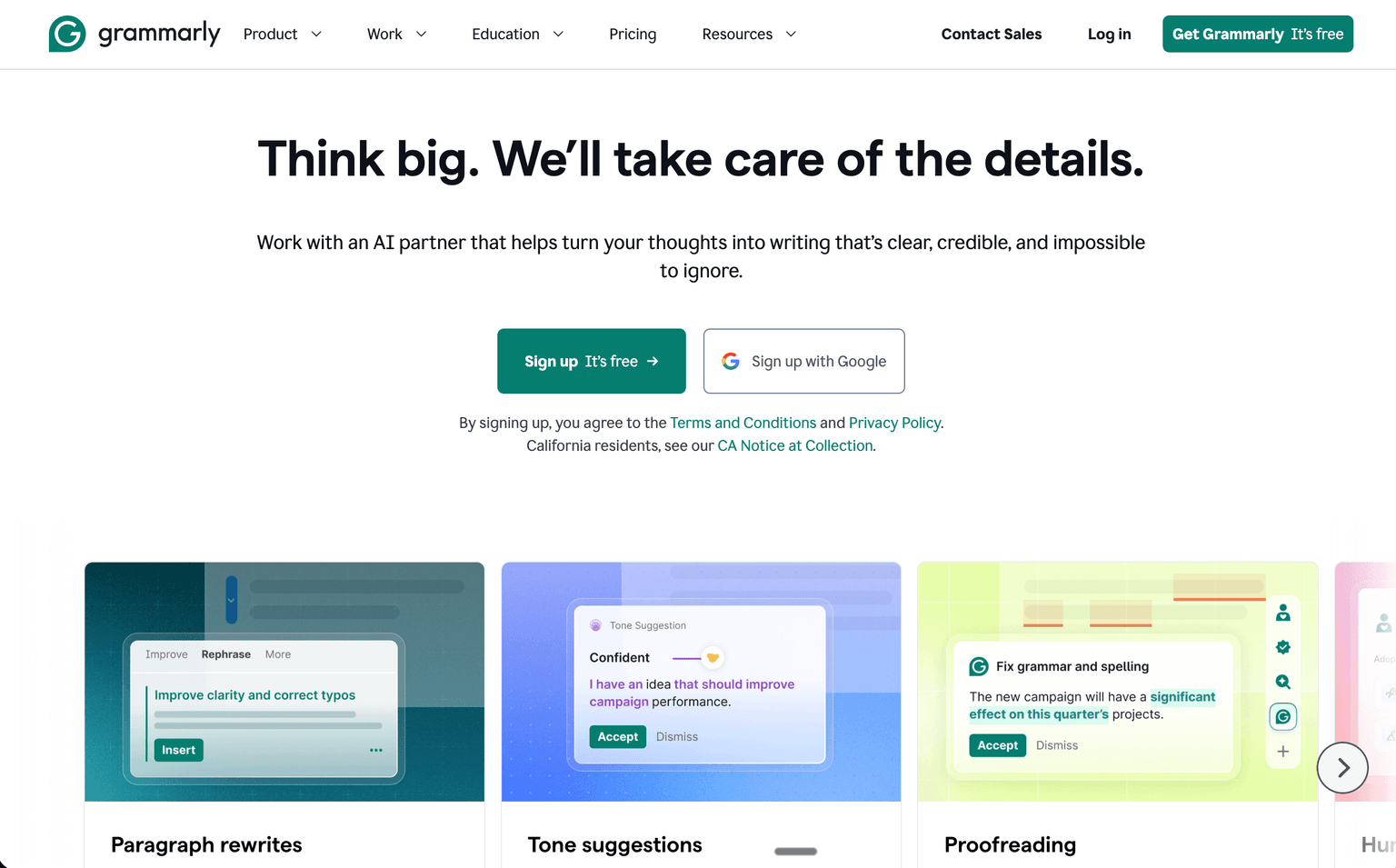
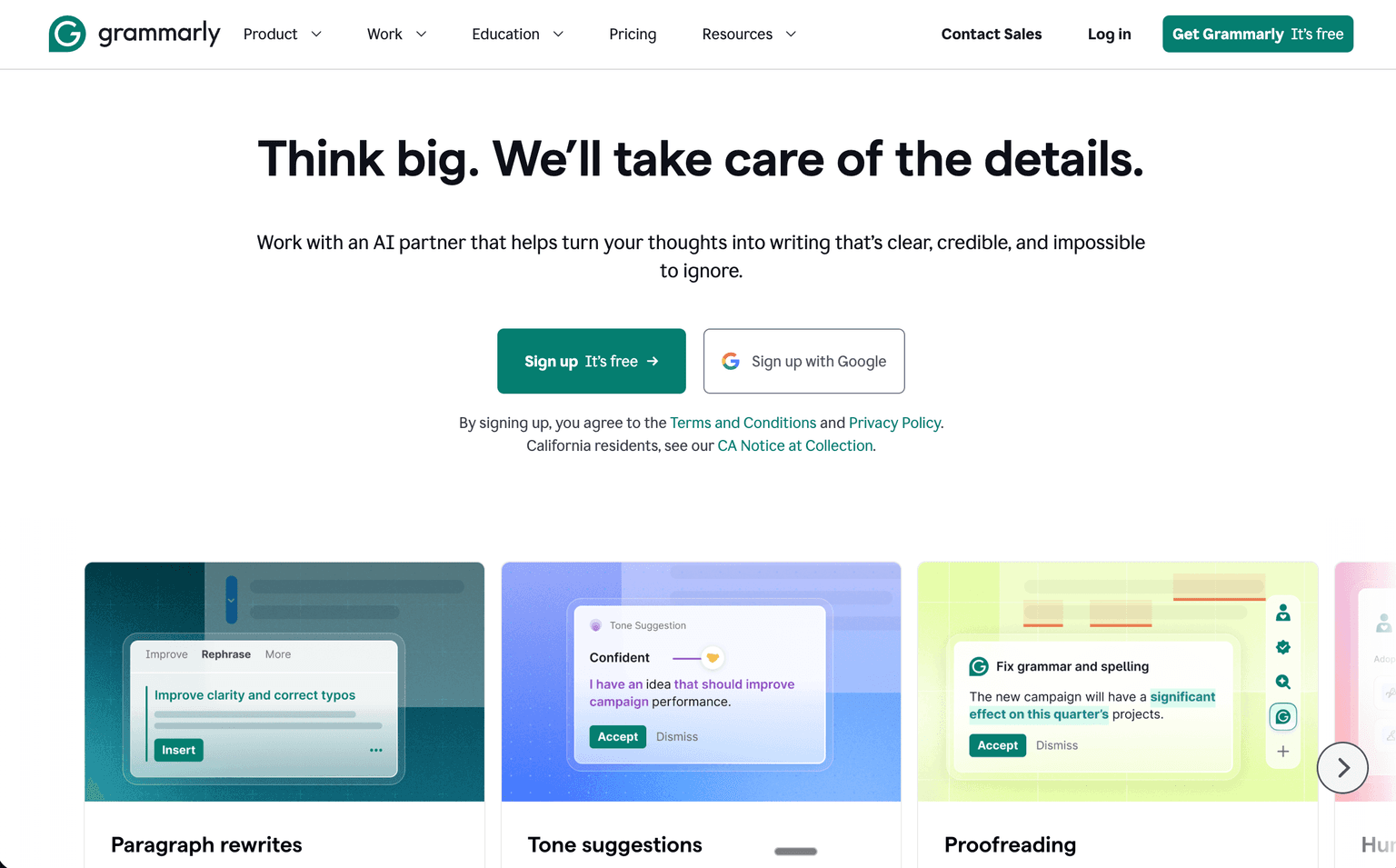
- Real-time grammar, spelling, and punctuation correction across any web app, desktop app, and mobile keyboard
- Generative AI writing assistant that can draft, rewrite, shorten, expand, and tone-shift any text
- Tone detection and tone rewrites to match audience, formality, and brand voice
- Plagiarism detection and AI detector with humanizer to keep writing original and authentic
- Citation generator and citation finder for academic and research workflows
- Brand voice and style guide enforcement for teams and enterprises
- Browser extensions for Chrome, Safari, Firefox, and Edge plus desktop apps for Windows and Mac
- Mobile apps and keyboards for iPhone, iPad, and Android with the same suggestions on the go
- Deep integration with Microsoft Word, Google Docs, Outlook, Gmail, Slack, LinkedIn, and Notion
- Enterprise admin controls with SSO, SAML, granular permissions, and SOC 2, ISO, GDPR, HIPAA compliance
Ideal Use Case:
Grammarly is ideal for students writing essays and applications, professionals drafting emails and reports under time pressure, marketers and content writers producing on-brand copy at scale, sales and customer success teams crafting clear customer communication, recruiters and HR teams writing outreach and job descriptions, and legal, healthcare, and financial services teams that need a writing assistant with serious compliance posture. Authors, journalists, and bloggers use Grammarly to tighten drafts before publishing, and remote teams rely on Grammarly Business to keep written communication consistent across distributed contributors.
Why Use Grammarly:
- Catches more issues than built-in spell checkers across grammar, clarity, tone, and engagement
- Generative AI writing assistant built into the surfaces you already write in, no context switching required
- Strong privacy posture, with no customer content used for advertising or model training
- Unmatched cross-platform coverage spanning browser, desktop, mobile keyboard, and native integrations
- Brand voice enforcement keeps marketing, sales, and support communication consistent at scale
- Enterprise-ready security, compliance, and admin controls for regulated industries
- Generous free tier that genuinely helps casual writers, with clear upgrade paths for power users
- Trusted by tens of millions of daily users and thousands of teams across industries
FAQ
What does Grammarly do? Grammarly is a writing assistant that checks grammar, suggests tone adjustments, and helps draft text. It works directly in your browser and within popular apps so you can improve writing as you compose.
Who should use Grammarly? Grammarly is useful for anyone who writes regularly—students, professionals, content creators, and teams. It works across email, documents, social media, and messaging platforms.
How much does Grammarly cost? Grammarly offers a free tier with core grammar checking, plus premium features available through paid plans. Visit the Grammarly pricing page for current plans and details on individual and team options.
How does Grammarly compare to similar tools? Grammarly focuses specifically on writing quality and tone refinement, while alternatives like Notion AI, Writer AI, and Copy.ai emphasize broader content generation. Grammarly's strength is real-time correction integrated into your workflow rather than standalone content creation.
tl;dr:
Grammarly is the writing assistant. Install the browser extension, the desktop app, or the mobile keyboard, and it follows you across Gmail, Word, Google Docs, Slack, LinkedIn, and almost everywhere else you write. The free tier covers grammar and spelling. Pro is twelve dollars a month billed annually for the full generative AI writing assistant, plagiarism checks, and brand voice. Business starts at fifteen dollars per user per month for team style guides and admin controls. Enterprise is custom-priced for regulated industries that need SSO, SAML, and HIPAA-grade compliance. It is the default for serious writers who want clearer, more credible writing without leaving the apps they already work in.
Related
Looking for more options? Browse the AI Content Writing directory or read our best AI writing tools listicle. Grammarly is also tracked on Crunchbase.
Why Use Grammarly
Editorial Review
Our take on Grammarly.

Mature writing assistant with broad reach; decent for casual use, but often feels like overkill for engineers and overconfident on tone.
What works
- Works across browsers and apps; genuinely catches real errors
- Free tier is useful for casual writers and students
- Mature product with large user base and proven stability
What doesn't
- Tone suggestions often miss technical and formal writing contexts
- Paywall locks most useful features behind subscription
Grammarly does what it says: catches typos, flags awkward phrasing, and offers rewrites. The browser extension works across most platforms, and the free tier is genuinely useful if you just want a spell-check upgrade.
That said, it's not without friction. The tone suggestions can be patronising—it'll flag perfectly valid technical writing as "too formal" or push you toward casual phrasing when precision matters. For engineers writing docs, emails, or Slack messages, you're often fighting against its defaults. The free tier is also pretty constrained; real value unlocks behind the paid wall, and you'll hit paywalls faster than you'd expect. It's a tool that works best when you're not thinking about it, which is the real win.
If you write a lot and want a safety net that catches real errors without second-guessing your voice too much, it's worth a shot. If you're mainly shipping technical content or code comments, a lighter touch—maybe just a spell-check plugin—might serve you better.
User Reviews
Similar Tools