ThetaWave AI
ThetaWave AI is a student note-taker that turns live lectures, files, and videos into structured notes, flashcards, quizzes, and mind maps.
Overview
ThetaWave AI
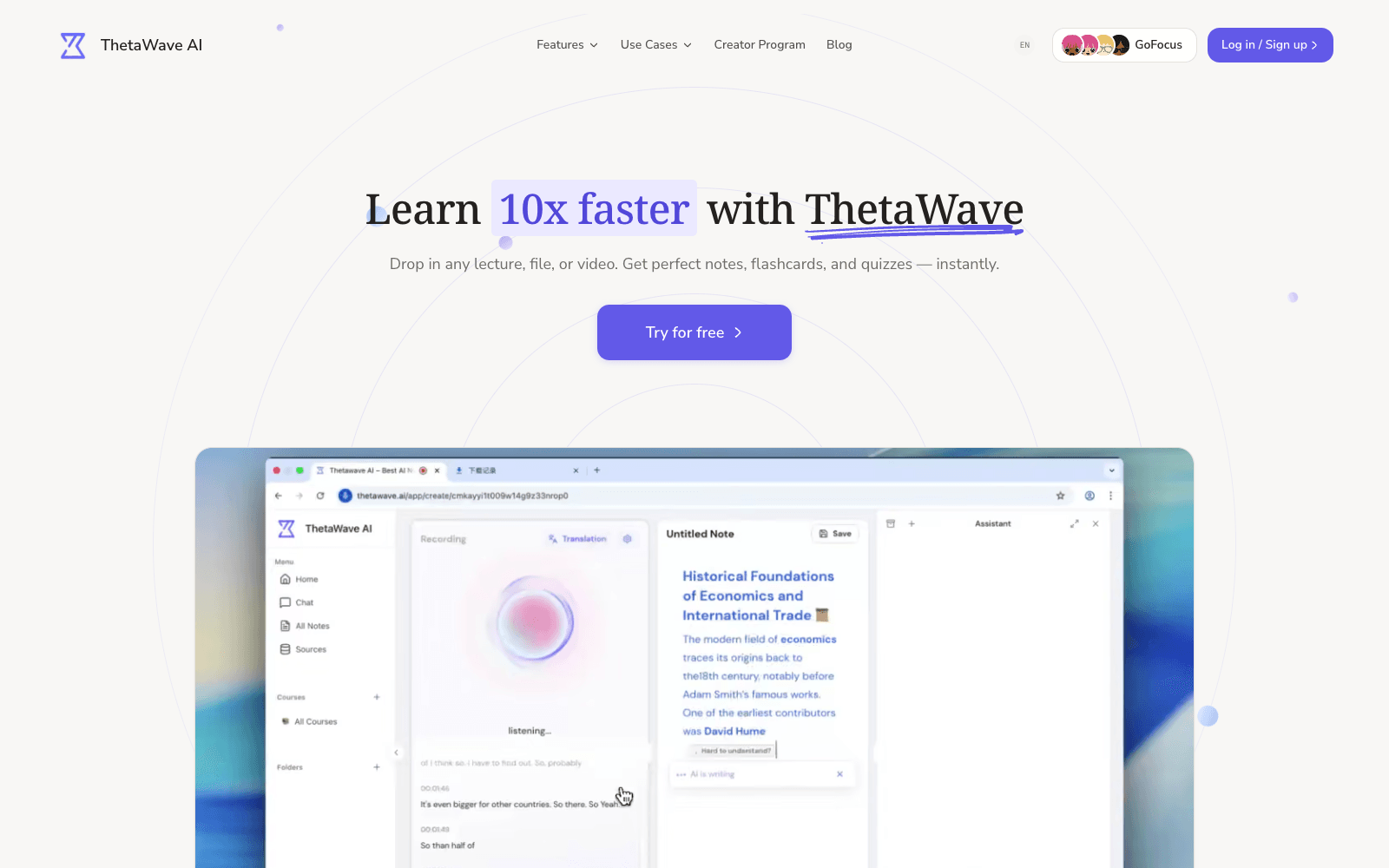
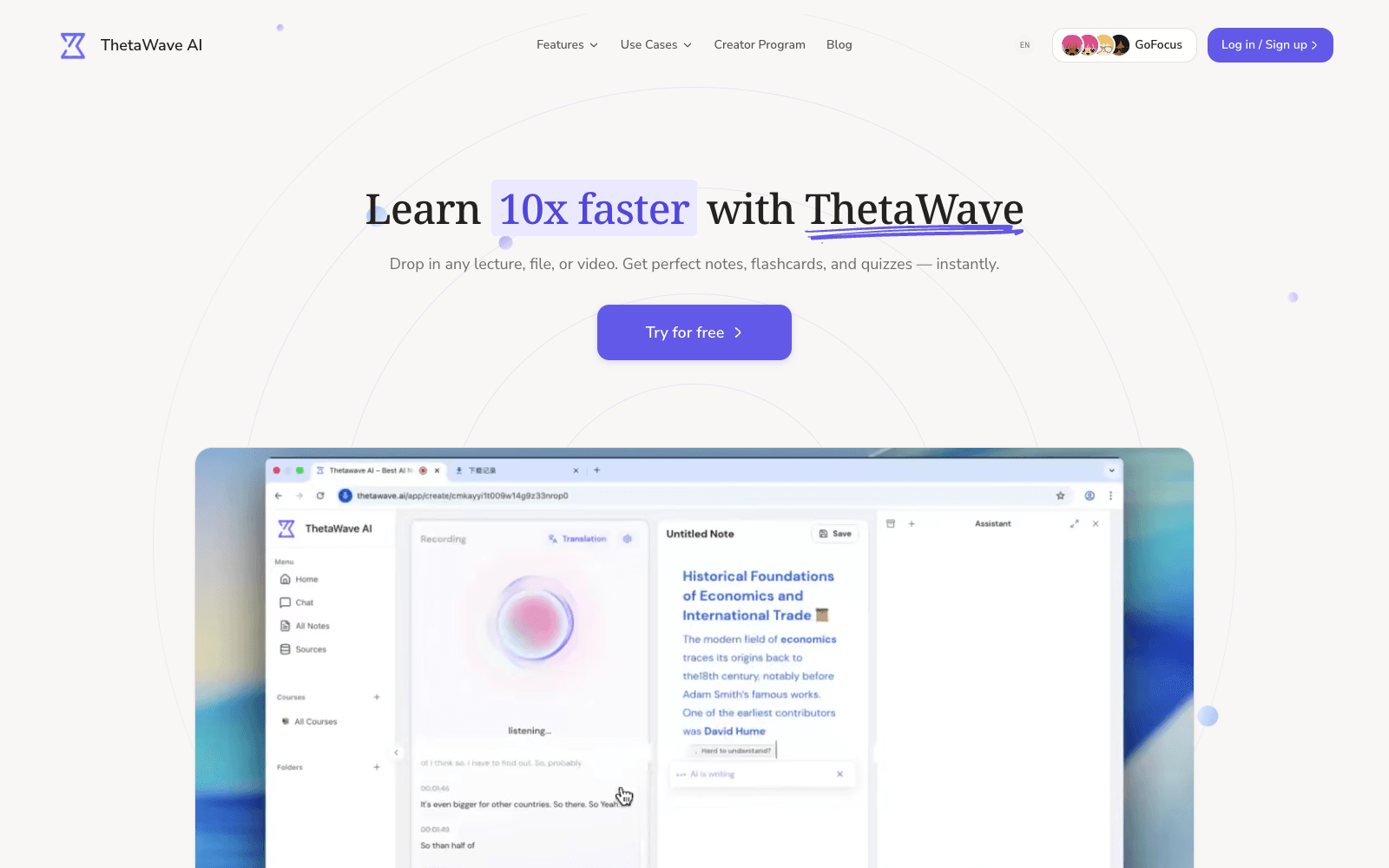
ThetaWave AI is a note-taking app for college students that listens to a lecture in real time and turns it into clean, structured notes while you focus on the class. The same engine accepts uploads, so a PDF, Word file, slide deck, YouTube link, or research paper becomes study material in seconds. From there ThetaWave AI generates one-click flashcards, test-prediction quizzes that guess what is likely to be examined, mind maps, and podcast-style audio, and a course assistant that has read your materials answers questions in context. You choose the detail level, from quick overview to deep dive, and notes keep tables, formulas, and charts formatted. There are iOS and Android apps, a Chrome extension, and a free tier of three notes per day; as of 2026 the site says 300,000+ students use it.
Production credibility: Site states 300,000+ students (the page meta tag claims 1,000,000+); a web check shows over 7 million dollars in disclosed funding from BAI Capital, Hillhouse Ventures, and MiraclePlus; apps on the App Store and Google Play plus a Chrome extension; free tier of three notes per day.
Key Features
- Real-time lecture transcription that becomes structured notes as the class runs
- Upload-and-convert for PDFs, Word files, slides, images, URLs, and YouTube videos
- Adjustable detail level from quick overview to full deep-dive notes
- Formatting that preserves tables, formulas, and charts rather than flattening them to text
- Test-prediction quizzes that target what is most likely to be examined
- One-click flashcards, mind maps, and podcast audio from the same notes
- AI course assistant that answers questions grounded in your uploaded materials
- iOS and Android apps, a Chrome extension, and a Campus plan for departments
Ideal Use Case
A university student carrying a heavy lecture load who wants to listen rather than transcribe, then revise from flashcards and predicted quiz questions before exams. ThetaWave AI is the pick over a generic transcription app like Otter when the output you need is study material, not a transcript, and over a flashcard app like Quizlet when you want the cards generated from your own lecture rather than typed by hand. Pre-med, law, nursing, and CS tracks get subject-specific landing pages.
How ThetaWave AI differentiates
The live-lecture path is the differentiator: most study tools start from a file you already have, while ThetaWave AI starts from the room you are sitting in and produces notes, cards, and quizzes from a single capture. The test-prediction quiz is a sharper idea than generic question generation, though how well it predicts any given professor is something you will only learn by trying. The trade-offs are a free tier that caps at three notes a day, one source per note, and fifteen-minute recordings, plus an annual-first pricing model that pushes toward the Pro plan quickly. The site's own user count varies between pages, so treat the headline numbers as marketing rather than an audit.
FAQ
Q: Is ThetaWave AI free for students? A: There is a free-forever tier with three notes per day, one source per note, fifteen-minute recordings, and basic note quality. Pro removes those limits and adds quizzes, podcasts, and exports; verified students get a discount on the first billing cycle.
Q: Can ThetaWave AI take notes during a live lecture? A: Yes. That is its core feature: it transcribes the lecture in real time and structures it into notes as you listen, with a fifteen-minute cap on the free plan and unlimited recording on Pro.
Q: How does ThetaWave AI compare to Otter.ai? A: Otter produces a transcript and summary aimed at meetings. ThetaWave AI is built for students and turns the same audio into formatted notes, flashcards, predicted quizzes, and mind maps, which Otter does not attempt.
Q: What file types can I upload to ThetaWave AI? A: PDFs, Word documents, text, slides, images, URLs, YouTube videos, online courses, and research papers, according to the site's feature list.
Q: Does ThetaWave AI have a mobile app? A: Yes, on both the App Store and Google Play, plus a Chrome extension and a web app.
tl;dr
ThetaWave AI turns live lectures and uploaded files into structured notes, flashcards, predicted quizzes, and mind maps, with mobile apps and a Chrome extension. Well-funded and widely used; the free tier is tight and Pro is priced annually.
Why Use ThetaWave AI
User Reviews
Similar Tools