Wondershare Dr.Fone
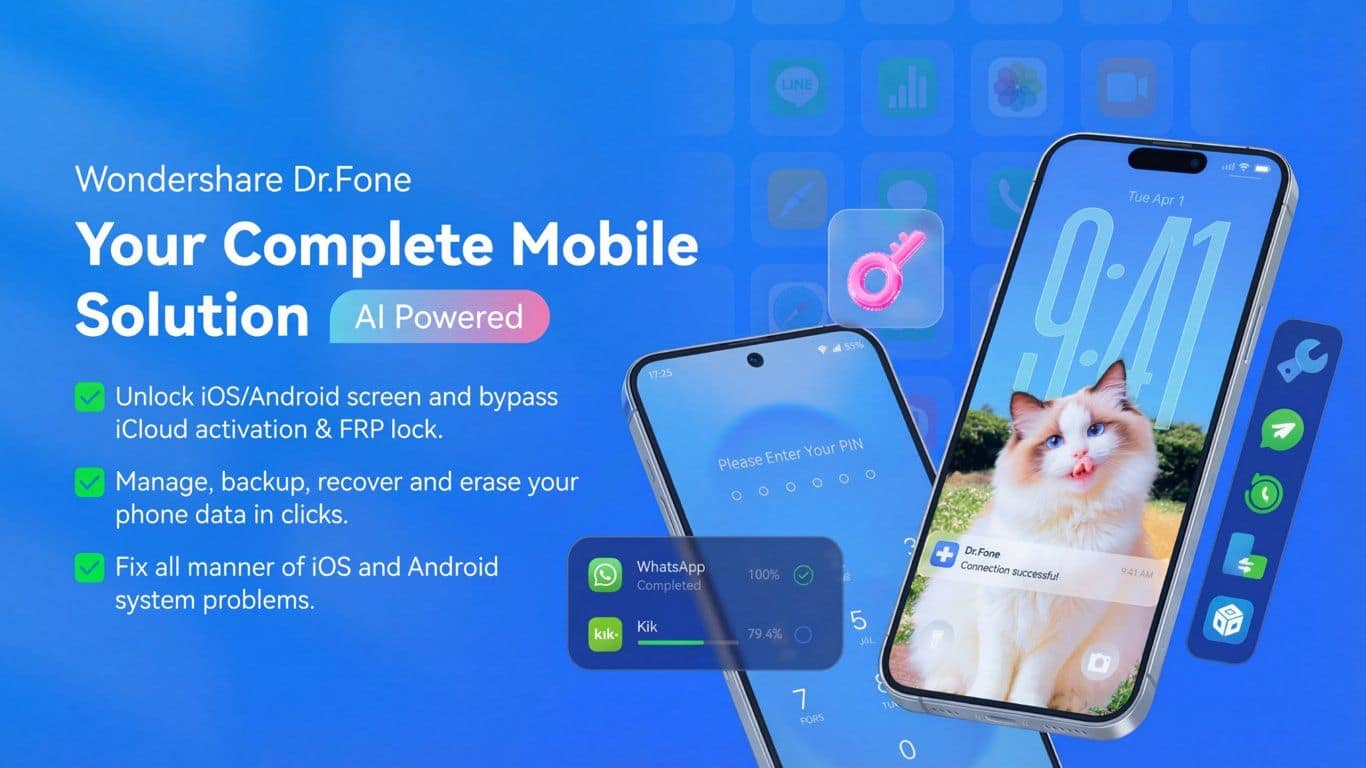
Wondershare Dr.Fone is a desktop phone toolkit that recovers lost data, repairs iOS and Android system issues, and unlocks locked phones.
Overview
Wondershare Dr.Fone
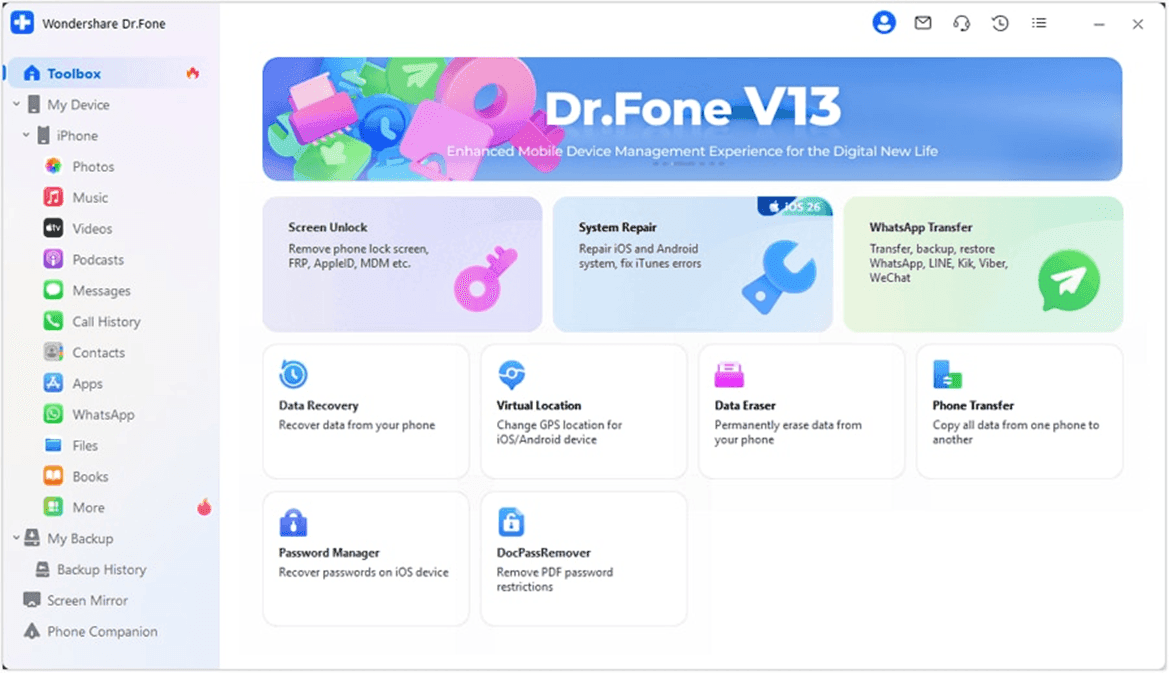
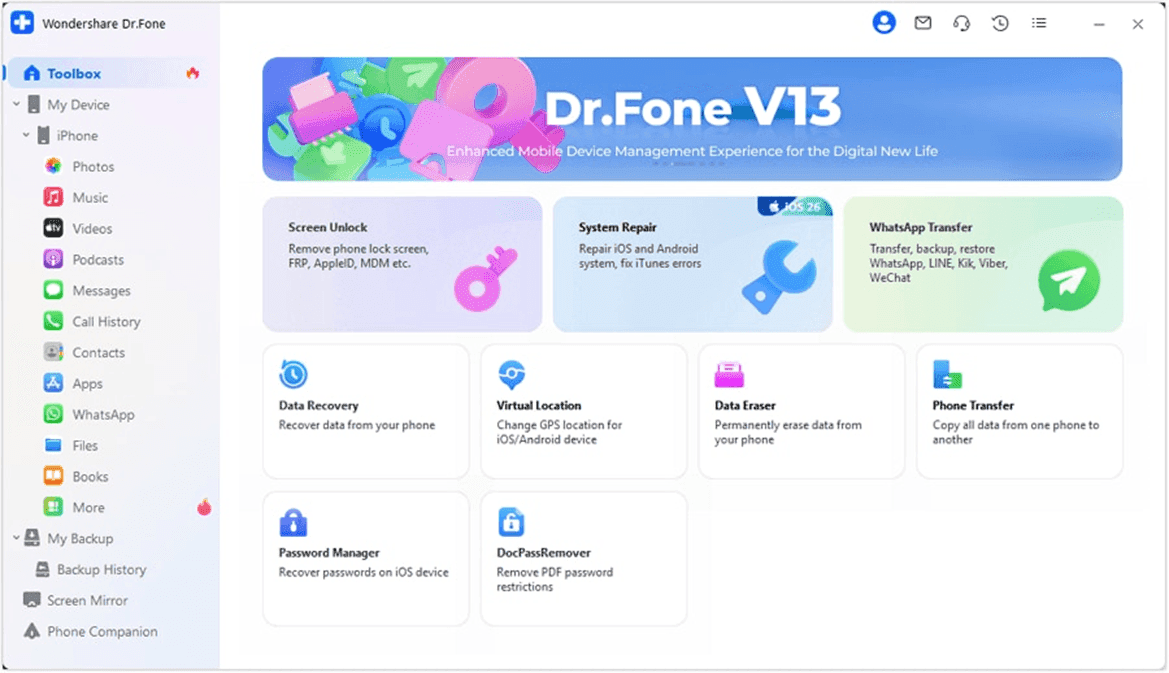
Wondershare Dr.Fone is a desktop phone toolkit that recovers lost data, repairs iOS and Android system problems, and unlocks locked phones. Built by Wondershare, Dr.Fone bundles a set of phone-utility modules — data recovery, system repair, screen unlock, WhatsApp and phone transfer, full-device backup, and secure data erasing — into one Windows and Mac application. You connect a phone over USB, pick the task you need, and Dr.Fone runs it from the desktop without a technician. It works across recent iPhone and Android devices, with a free scan that previews recoverable data before you buy.
Production credibility: Dr.Fone is made by Wondershare Technology, a publicly listed software company (Shenzhen Stock Exchange: 300624) founded in 2003 and headquartered in Shenzhen, behind Filmora, PDFelement, Recoverit, and MobileTrans. It covers both iOS and Android, with modules that recover deleted files, reinstall firmware to fix boot loops and stuck screens, remove lock screens and activation locks, and migrate data including WhatsApp chats between devices. Wondershare reports Dr.Fone has been installed by tens of millions of users worldwide.
Key Features
- Data Recovery for deleted or lost photos, messages, and contacts on iOS and Android, including from broken devices and iTunes, iCloud, or Google Drive backups
- System Repair that reinstalls firmware to fix iOS boot loops and stuck Apple-logo screens and Android black-screen or bricked states, with a standard mode that preserves data
- Screen Unlock for forgotten PIN, pattern, Face ID, and Touch ID, plus Apple ID, iCloud activation lock, MDM, and Android FRP removal
- WhatsApp Transfer that backs up, restores, and moves WhatsApp, Viber, LINE, and WeChat chats across iOS and Android
- Phone Transfer for one-click device-to-device migration when switching phones, including between iOS and Android
- Phone Backup and selective restore of contacts, photos, messages, and files to and from your computer
- Data Eraser that permanently wipes a device before resale, plus Virtual Location and Screen Mirror modules
Ideal Use Case
People who need to rescue data from a phone that crashed, broke, or got wiped, fix an iPhone or Android stuck on a boot loop, get back into a locked device they own, or move WhatsApp chats and data when switching phones — all from a desktop app rather than a repair shop.
How Wondershare Dr.Fone differentiates
Tenorshare and iMyFone typically sell each function as a separate app — one for recovery, one for unlock, one for system repair. Dr.Fone's organizing idea is breadth: recovery, repair, unlock, transfer, backup, and erasing live as modules in one toolkit for both iOS and Android. The trade-off is that a single-purpose specialist may edge out a higher success rate on its one task, but Dr.Fone covers the situations a typical phone owner actually hits — a lost photo, a stuck screen, a forgotten passcode — without buying and learning several different tools.
FAQ
Q: What platforms and devices does Dr.Fone work with? A: Dr.Fone is a desktop program for Windows and Mac that manages both iPhone and Android devices. It handles recovery, system repair, unlock, and transfer across recent iOS and Android versions, though a few modules are platform-specific — Password Manager is iOS-only and FRP removal is Android-only.
Q: Is Dr.Fone safe, and does it actually work? A: Dr.Fone is published by Wondershare, a publicly listed company (Shenzhen Stock Exchange: 300624), and runs locally on your computer. Results depend on the situation — recovery success varies with how data was lost and whether it has been overwritten — which is why Dr.Fone offers a free scan and preview plus a 7-day money-back guarantee.
Q: Wondershare Dr.Fone vs Tenorshare — what's the difference? A: Both are desktop phone-utility suites covering recovery, system repair, and unlock for iOS and Android. Tenorshare typically sells separate single-purpose apps (UltData, 4uKey, ReiBoot), while Dr.Fone bundles those functions as modules under one toolkit. The choice usually comes down to which module you need and current pricing.
Q: Does Dr.Fone erase my phone when it fixes a system problem? A: System Repair's standard mode is designed to fix common iOS and Android issues without wiping data, while advanced or deep-repair mode and certain unlock operations can erase the device. Dr.Fone flags which mode wipes data before you proceed.
Q: Is Wondershare Dr.Fone free? A: Dr.Fone offers free trial versions and a free scan that previews recoverable data before you buy. Full export, repair, and unlock require a license, sold per module or as a Full Toolkit with monthly, annual, and perpetual options.
tl;dr
Wondershare Dr.Fone is a desktop phone toolkit for Windows and Mac that recovers lost data, repairs iOS and Android system issues, unlocks locked phones, and transfers data — including WhatsApp — between devices. From Wondershare (Shenzhen Stock Exchange: 300624), maker of Filmora and PDFelement. A free scan previews results; paid per-module and Full Toolkit plans come in monthly, annual, and perpetual options.
Why Use Wondershare Dr.Fone
User Reviews
Similar Tools